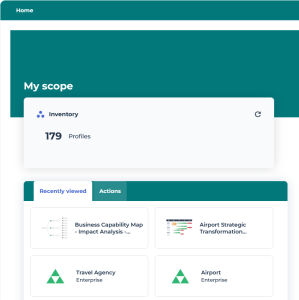
Hopex Studio Desktop
The Hopex Studio desktop includes the standard menus and tools of HOPEX desktops.
 For information regarding HOPEX desktops, see The Hopex Desktop.
Hopex Studio Navigation Menus
The Hopex Studio desktop provides access to the following navigation menus:
• Environment: to manage Teams, Enterprises, and Libraries
• Profiles & Permissions: includes all you need to create and customize profiles and their permissions
• Customization: to override standard Hopex data
See Customization.• Report Definitions: to create and customize Report Templates
• Report Templates, definitions on which are based the reports
• Data Source Definitions: Report DataSet Definitions,TreeSet Definitions, GraphSet Definitions
• Data Sources: Report DataSets and Queries
For information regarding reporting, see PLATFORM - HOPEX Report Studio Desktop.• Reports: to access and create reports from Report Templates
For information regarding report creation, management and customization, see PLATFORM - Common features > Generating Documentation.• GraphQL: to manage GraphQL schemas
See GraphQL Schemas.• Custom Packaging: to manage your custom packages
• History: for a quick access to all of the objects you have accessed (e.g.: display of their property pages) or modified
For information regarding use of standard navigation menus, see PLATFORM - Common features > The Hopex Desktop.
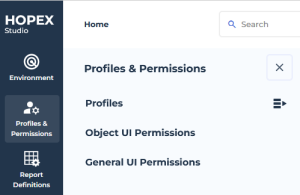
Profiles & Permissions Menu
From the Profiles & Permissions navigation menu you can especially access, create and customize profiles:
• Profiles
See Profiles.• Permissions including:
• Object UI Permissions
• General UI Permissions
Customization Menu
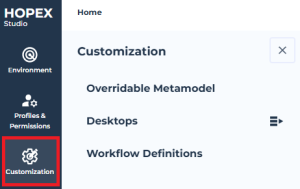
From the Customization navigation menu you can access:
• Overridable Metamodel: report to identify overridable Hopex data
• Desktops: to customize the desktops (Working Environment Templates, Homepages, Display Contexts)
• Property Pages: to customize PropertyPage Presentations
• Metamodels: to customize MetaClasses
• Code Templates: to customize the Code Templates
• Diagrams: to customize DiagramTypes
• Workflow Definitions: to customize Workflow Definitions
Report Definitions Menu
Although Hopex Studio and HOPEX Report Studio desktops include the same features regarding reporting, you should use Hopex Customizer Publisher dedicated profile rather than Hopex Customizer.
For detailed information regarding Report Definitions, see PLATFORM - HOPEX Report Studio Introduction.For example, when creating Definitions (Report DataSet Definitions, TreeSet Definitions, GraphSet Definitions) you might need to create your own queries:
• Hopex Customizer Publisher profile prevents you from getting, in the IntelliSense feature, all administration attributes and links, which are not of interest in that case. Only business related attributes are proposed and thus you do not get a crowded list.
• with Hopex Customizer profile, you can still hide administration attributes and links: in Options > Repository > Metamodel, clear Display repository administration properties and links option.
GraphQL Menu
From the GraphQL navigation menu you can access, create, and generate GraphQL schemas.
See GraphQL Schemas.
Custom Packaging Menu
Custom Packaging navigation menu gives access to:
The Hopex Application Server Customization module must be installed to have access to the Custom Packaging content.• the Content Manager page to manage the content of your Custom Packages
See Content Manager.• the Work Items page to view details regarding active, completed, and packaged Work Items
 Active Work Items: Work Items that are not completed yetCompleted Work Items: Work Items that are ready to be packagedWork Item packages: Work Items that are packagedSee Handling Work Items.
Hopex Studio Homepage
The Hopex Studio homepage gives direct access to:
• profiles
• recently viewed objects
• report creation