Managing Permissions on General UI
You can manage general UI access for a profile. General UIs are classified by category, like:
• desktop
• command category
• command group
• general command
• property page
• tree
• Working Environment Template (WET)
To manage general UI access:
1. Access the UI access management pages and select General UI Access.
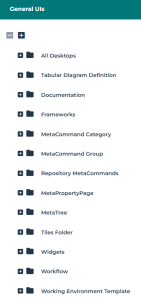
2. Expand the folder of the category concerned.
3. In the list, select the tool concerned.
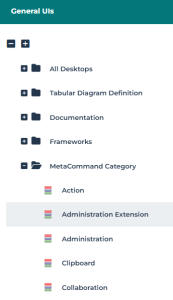
4. In the Access rights and Availability pane, select the Set of UI access rights for which you want to modify access on the tool.
 You can use the list filtering tool to help you find the Set of UI access right concerned.
5. In the Tool Availability field, modify the availability value.
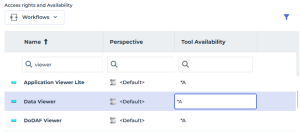
6. Press "Enter".
The value of tool availability is modified.
 To return to the tool availability default value, enter the character *.To obtain information on origin of an inherited value, enter the character ?.