HOPEX Business Process Analysis Desktop Presentation
The menus and commands available in HOPEX Business Process Analysis depend on the profile with which you are connected.
 For more details on using the Web platform for HOPEX solutions, see the HOPEX Common Features guide.HOPEX Business Process Analysis is mainly intended for web users. Desktops described in this guide are accessible to Web desktop users.
Presentation of space common to all profiles
All users have access to the HOPEX Business Process Analysis desktop and access to the following panes:
• Home: presents the main tiles useful for the user.
• Dashboards: displays the list of indicators required to steer objects such as processes, applications or org-units.
• Bold BI Dashboards: displays the list of dashboards build with the Bold BI application.
For more details, see Customizing Bold BI dashboards.• Capabilities access to all business capabilities and functionalities.
• Processes: gives access to all the process models described.
• Simulation : gives access to the facilities for simulation and process mining, iIf you have the HOPEX Process Simulation product.
For more details, see Simulating a BPMN process.• Customer Journey: gives access to the mapping of the customer journey if you have the HOPEX Customer Journey product.
For more details, see The customer journey.• Reports: accesses all reports, improving understanding of terms and their use.
For more details on the use of these reports, see "Generating Reports”.For more details, see HOPEX Business Process Analysis Reports.• Collaboration, which enables access to all collaborative tools provided by HOPEX.
For more details on the use of collaborative tools, see Access to Collaboration in HOPEX.The tiles of the Home space of HOPEX Business Process Analysis are:
• Help  to access the HOPEX documentation.
to access the HOPEX documentation.• Option  to access to HOPEX options.
to access to HOPEX options.For more details, see Summary of HOPEX Business Process Analysis options.• A add tile button  .
.
.Presenting the Process Functional Administrator space
In addition to the panes offered in standard mode to all HOPEX Business Process Analysis desktop users, the users connected with the Process Manager profile have access to the following panes:
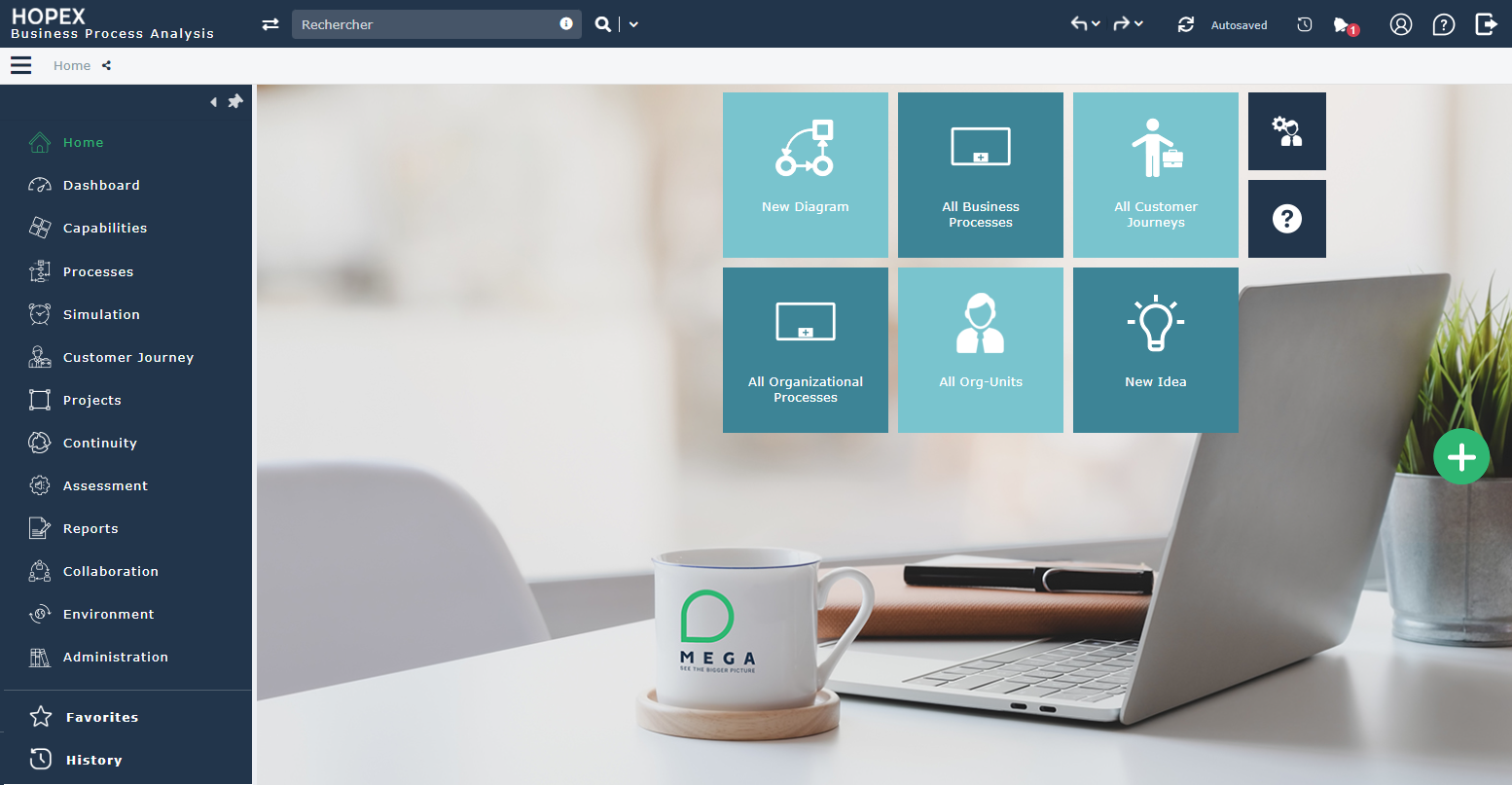
The Home pane
The Home pane enabling access to specific functions.
The New Diagram tile is used to create a new organizational Process and its diagram.
 For more details, see Managing an Organizational Process Diagram.
New Idea tile helps to create a new idea.
 For more details on managing ideas and projects, see Submitting and evaluating ideas.
The Capabilities pane
The Capabilities pane provides access to the following menus.
• Hierarchy View, to access all the elements to describe and manage the Business Capabilities of the enterprise.
For more details, see Business Capability Maps.• Business Capability Maps, to detail the company's business capabilities.
For more details, see Describing Business Capabilities with HOPEX Business Process Analysis.• Business Skill Maps, to detail the company's business skills.
For more details, see Describing the business skill map.• Functionality Maps, to detail the company's functionalities.
For more details, see Describing the Functionality Map.The Processes pane
The Processes pane provides access to the following menus.
• Hierarchy , to access to the follwing elements:
• the enterprise org_units, see Organizational Charts and Responsibilities,
• applications,
• sites
• Controls & Risks, for accessing the risk management features offered with the HOPEX Risk Mapper product.
For more details on controls and risks, see the Managing Risks and Controls chapter.• Data Management to access the management functionalities for business data offered with the HOPEX Information Architecture product.
The Simulation pane
The Simulation pane gives access to the process simulation functionalities proposed with the HOPEX Process Simulation product . This pane proposes the following menus:
• Simulation Scenarios, to access the list of the results of the simulations performed in different configurations.
• Schedules, to access resource load and availability schedules.
For an introduction to simulation functionalities, see Simulating BPMN Processes.The Customer Journey pane
If you have the HOPEX Customer Journey product, the Customer Journey pane gives access to the mapping of the customer journey.
For more details, see The customer journey.The Projects pane
The Project pane provides access to transformation project management functionalities. Depending on the products that you possess, this pane provides access to the following menus.
• Process Portfolios, to access the portfolio management features offered with product HOPEX Portfolio & Planning.
For more details on portfolio, see Using process portfolios.• Corrective Action Plans, to describe and manage the action plans linked to the transformation of processes.
For more details, see Action Plans with HOPEX Business Process Analysis.• Projects, to access and manage transformation projects.
For further information on handling transformation projects transformation, see the HOPEX IT Business Management guide.• Project Portfolios, to access the project portfolio management functionalities offered with the HOPEX IT Portfolio Management product.
For more information, see HOPEX IT Business Management .• Solution Manager , to access the features offered with the HOPEX for SAP Solution Manager 7.2 product.
For more information, see HOPEX for SAP Solution Manager 7.2.The Continuity pane
The Continuity pane, available with the HOPEX BCM product, provides access to the following Business Continuity Management facilities.
For more details on Business Continuity Management, see Introduction to HOPEX BCM..The Assessment pane
The Assessment pane provides access to the creation and management of assessment campaigns.
For more information on managing assessment Campaigns, see Assessments by campaigns and assessment sessions.For more details on process assessment, see Assessments With HOPEX Business Process Analysis.The Environment pane
The Environment pane provides access to the following menus.
• Standard Navigation, to access the main objects processed with the HOPEX Business Process Analysis solution.
For more details, see Preparing the Work Environment.• Indicators, to access to the key indicators of your repository.
For more information on key indicators, see HOPEX IRM.The Administration pane
The Administration pane provides access to the user management features. The rights of different users on objects of imported libraries depend on their assigned profiles.
For more details on managing users, see Managing Users.Presenting the Process Manager space
Excepted the Administration pane, users connected with the Process Manager profile have access to the same functionalities as users connected with the Process Functional Administrator profile.
For more details, see Presenting the Process Functional Administrator space.Presenting the Process Contributor Lite space
Users connected with the Process Contributor Lite profile have access to the panes offered in standard mode to all users of the HOPEX Business Process Analysis desktop.
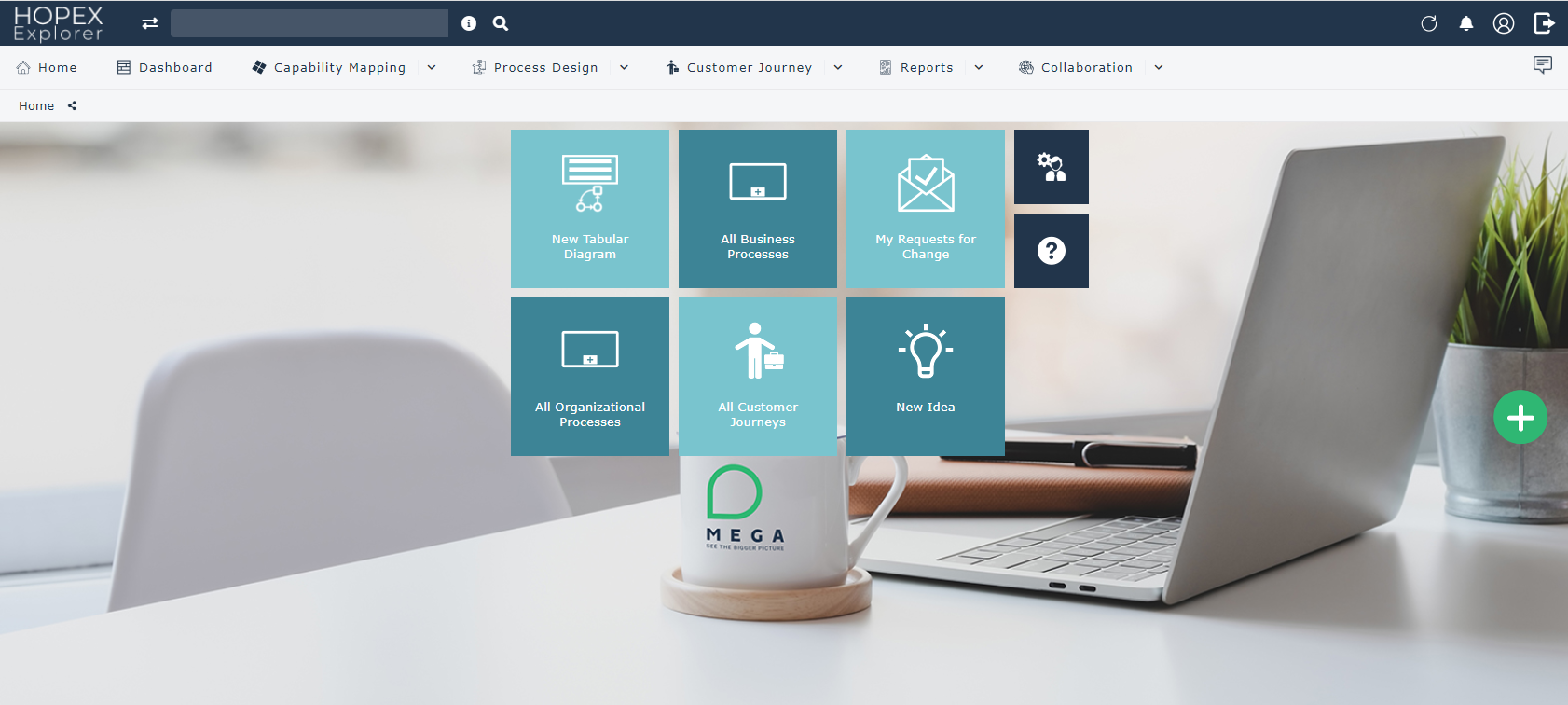
The Process contributor Lite works in the simplified desktop of , she/he is responsible for validating the design of the processes entrusted to him/her.
Presenting the Process Observer Lite space
Users connected with the Applications Viewer Lite profile have access to the panes offered in standard mode to all users of the HOPEX Business Process Analysis desktop.
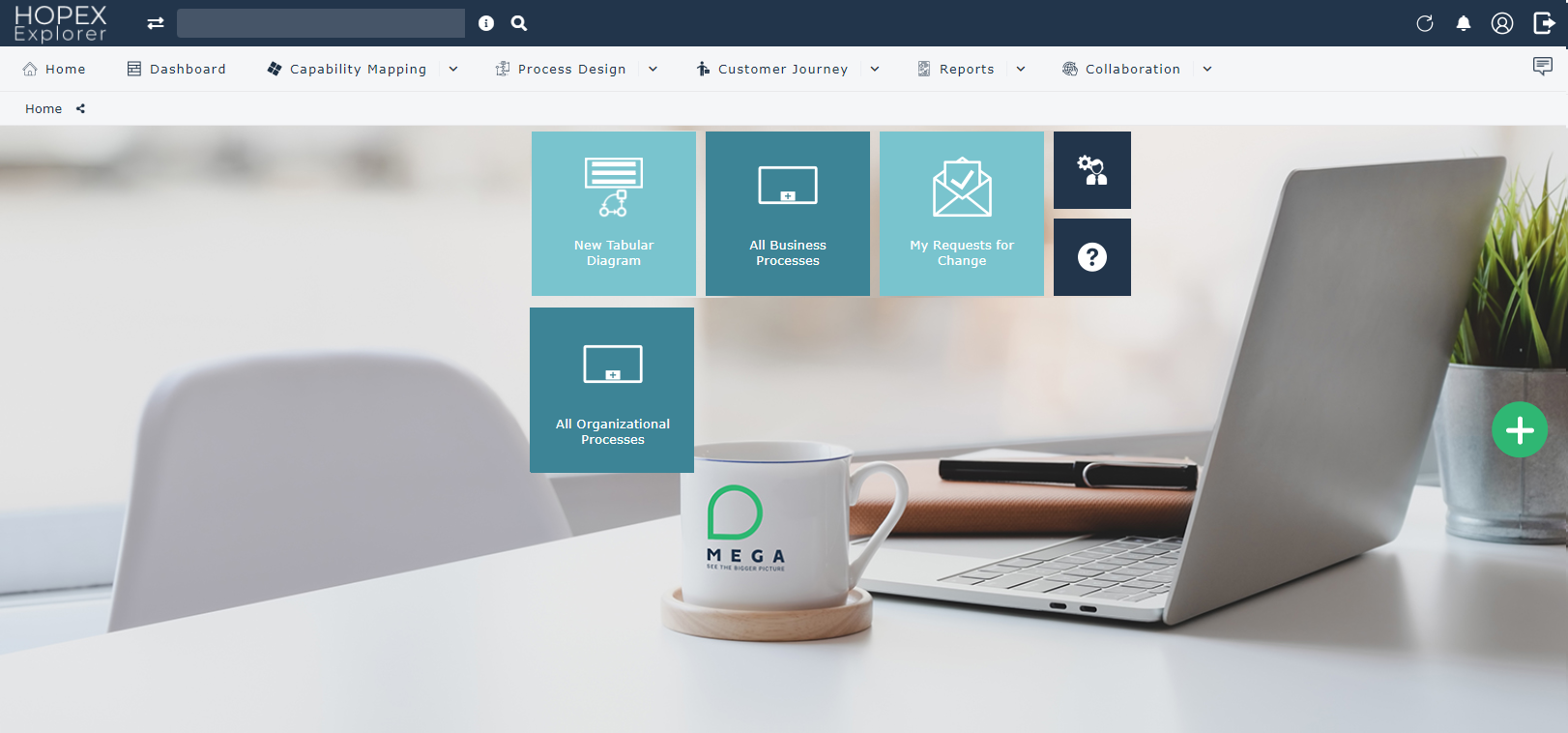
The Process Viewer Lite works in the simplified desktop of HOPEX Explorer, she/he has read-only rights on objects in the repository.