Accessing a Collaboration Feature
Depending on the desktop on which you work, the Collaboration navigation pane provides access to:
• your questionnaires
• your workflows
 See Using Workflows.
• your notifications
• your review notes
• tags
See Managing Tags.• activities on objects
• objects that you are following
• your tasks
See Using Design Tasks.• your change requests
• your social objects
• ideas
See Managing Ideas.To access a collaboration feature:
1. From your HOPEX desktop, click the navigation menu  and select Collaboration
  .
.
and select Collaboration .The collaboration features appear in the form of tiles in the Browse  edit area.
edit area.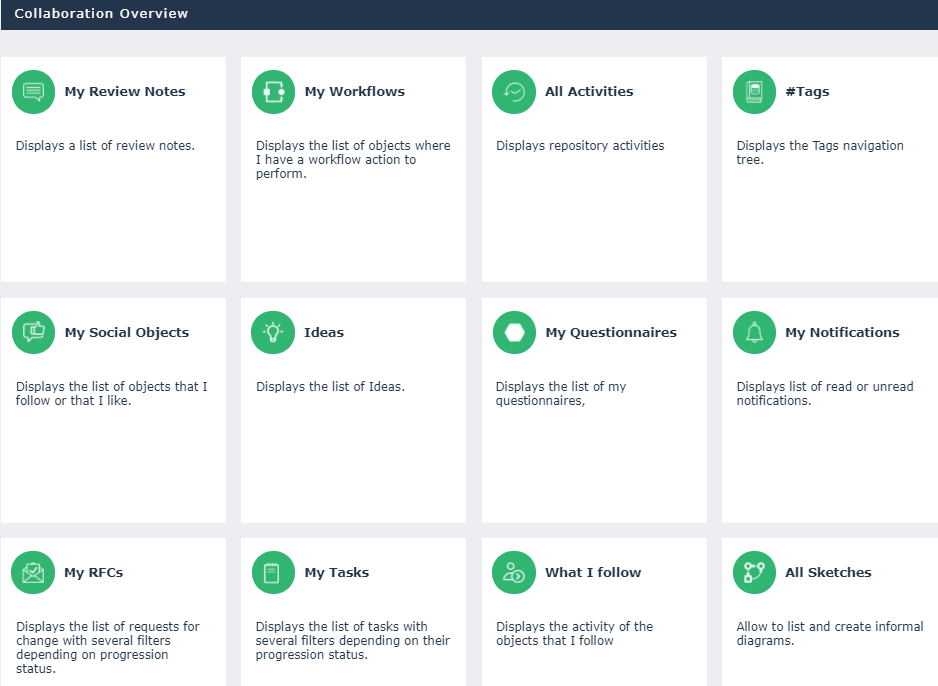
2. Click the feature you want to access.
The feature appears in the Browse edit area.
edit area.