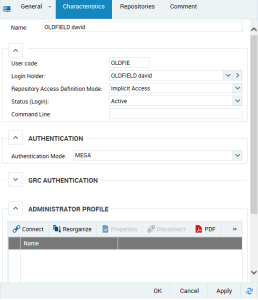
Viewing Login Characteristics
See:
Viewing login characteristics (Web Front-End)
To view login characteristics:
1. Access the User Management pages.
2. Select the Persons or Person Groups sub-folder.
3. In the Persons list, select the person concerned and click
Login Properties 
.
Viewing login characteristics (Windows Front-End)
To view login characteristics:
1. Open the Users management window.
2. Select the Logins tab.
3. In the Login frame, select the login.
In the environment options, if the Management of assignment of business roles to persons option:
• is selected: the Repositories frame displays repository access rights of the selected user.
• is cleared: the Repositories/Profiles frame displays access rights to repositories of the selected user/profiles connected to the user.
4. In the toolbar, click
Properties 
.
The Properties dialog box of the selected login opens.
 For detailed information on characteristics of a login, see "Login Properties".