Merging Objects
The object merge feature is available with the HOPEX Power Supervisor technical module.
When you merge two objects of the same type, you get a single object by transferring the characteristics and links from the source object to the target object. The source object is deleted.
Choice of the objects to be merged
The Target object is the reference object that will be merged with the Source object. By default:
• its characteristics are not modified
• the merging proposes addition of source object links.
The Source object is the object of which:
• you want to reuse certain characteristics or certain links
• characteristics and links will be transferred to the Target object.
When the link is to be a unique link (e.g., for sub-typing where the type is unique), the link of the target object is kept by default.
 When merging is completed, the source object is deleted.
 You can Explore objects using the corresponding command. It can also be used to explore their links.
Merging Two Objects
The merging feature is available in the functional administration desktop and Solution desktops.
To merge two objects:
1. Connect to HOPEX with the required profile.
 See Connecting to HOPEX.
2. Access the source object.
3. Right-click the source object and select Manage > Merge.
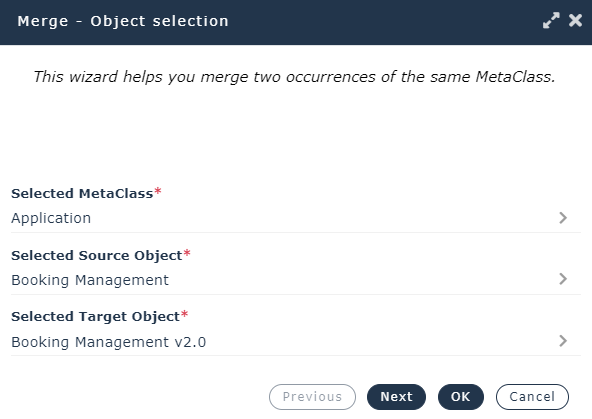
In the Object selection window, the object type and the source object are predefined.
(private workspace case) To have the right to merge two objects, you must have the right to delete objects.4. In the Selected Target object field, click the arrow and Select a target object.
5. Use the search tool to select the target object and click OK.
6. Click Next.
7. Click Next.
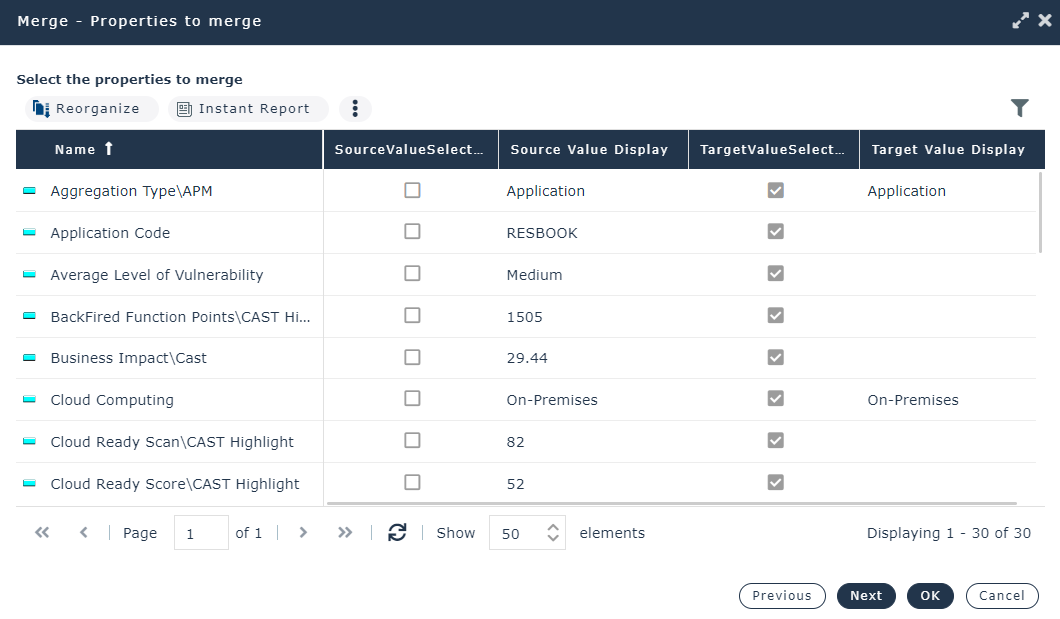
The Properties to merge window shows the differences found in the characteristic values of both objects.
8. In the SourceValueSelected column, select the source object characteristics you want to transfer to the target object. Characteristics that remain selected in the target object are kept.
9. Click Next.
The Unique links to merge window (links that can only exist once for a given object) appears only if the objects to be merged have unique links connecting them to different objects.
Example: a message can have only one super-type.
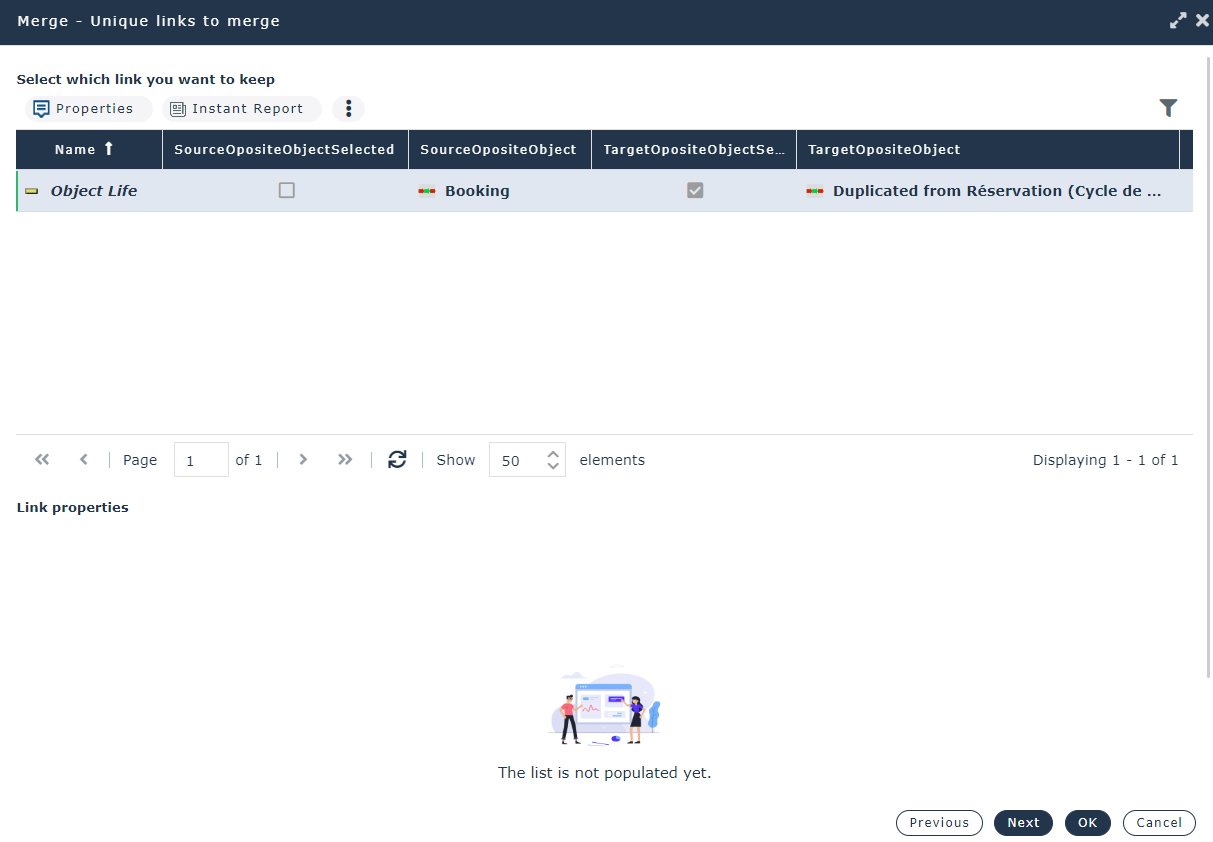
10. Select the links to be transferred.
11. Click Next.
The Links to merge window shows the links.
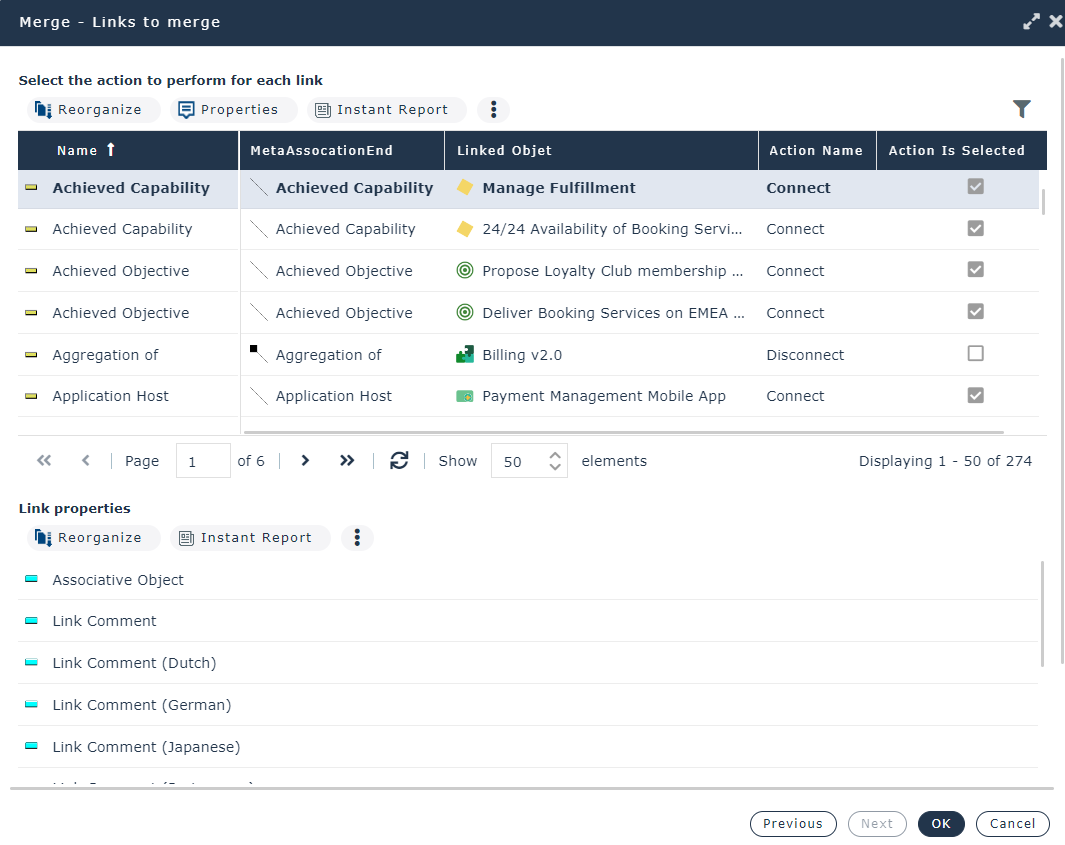
By defaut, when:
• the link does not exist for the target object, the target object is connected: "Connect" Action is selected. You can clear the action so as not to transfer the link.
• the link exists for both source and target objects, both links are kept: "Connect" Action is selected for the link from the source object, "Disconnect" Action is cleared for the link from the target object
You can keep existing links, or Disconnect them.
12. Click OK to start merging.
Once merging is completed, the source object no longer exists and the selected characteristics and links have been transferred to the target object.
"_TransferredObject" temporary merge objects are created on this occasion. Merge objects of a repository can all be exported at export of HOPEX objects.