Activity Diagram
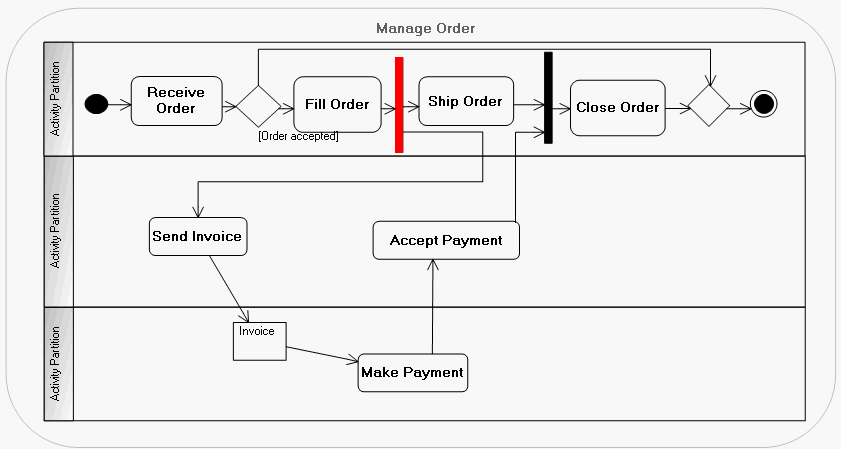
An activity diagram represents sequencing of steps describing behavior of a system element.
Steps are modeled by nodes - nodes of action, configuration or control - coordinated by data flows or control flows.
Example of an activity diagram
Creating an Activity Diagram
In HOPEX IT Architecture, an activity diagram is created based on a package or an activity.
You can create an activity for a package, component or class.
To create an activity diagram:
1. Right-click the package or the activity concerned.
2. In the pop-up menu that appears, click New > Activity Diagram.
The new activity diagram opens.
See also:
