Partitions
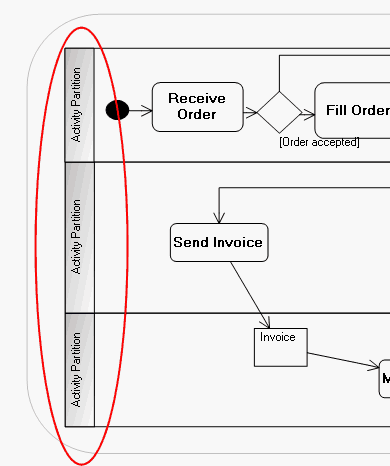
An activity diagram can be divided into partitions. Each partition contains nodes or actions as well as the flows between these elements.
You can use partitions to organize tasks or to specify the element responsible for implementation of multiple tasks.
For more details on swimlanes, see Using the Pools: Improving Graphical Presentation.
Creating a Partition
To create a partition in the activity diagram:
1. Click the Partition button  in the object insert toolbar.
in the object insert toolbar.2. Specify its name.
3. Click Add.
Partition Properties
The State page presents the states contained in the partition.
The Complements page is used to specify the element represented by the partition. This is the element that implements the elements of the partition. It can be an actor, class or component.