Report Template Properties
 To access the Report Template properties, see Accessing the Report Templates and their Constituents.
From the Report Template properties, you can access information regarding:
• its Characteristics
• its input Parameters
• its Chapters
• its style (Report Template Edition)
• its Permissions
• its Advanced parameters
• the report print availability (Extensions)
Characteristics
The Report Template Sharing parameter defines the Report Template availability:
• "public"
Allows other users to access the Report Template.
These users must be connected with one of the Profiles that are allowed to access the Report Template. The Report Template availability for each profile is defined in Permissions (see Permissions).
• "private" (default value, at Report Template creation)
Only the Report Template creator can access the Report Template.
The Display print button parameter enables to manage the printing availability of the reports generated with this Report Template:
• "yes": the Print button is added to the report (default value).
• "No": the Print button is removed from the report.
Parameters
In the Parameters section (for Report Chapters based on macros), you can:
• add new parameters to the Report Template.
• configure the parameter to define the values that the end-user can use at report creation. The list of values can be computed form another parameter value.
• customize the parameter to:
• add reports in object property pages.
• add reports at the Instant Report creation from an object list.
• customize the parameter display.
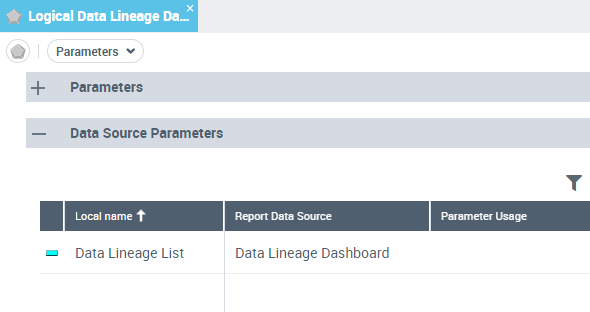
In the Data Source Parameters section (for Report Chapters based on Report Data Views), you can:
• define the parameters that have to be selected at report creation.
Chapters
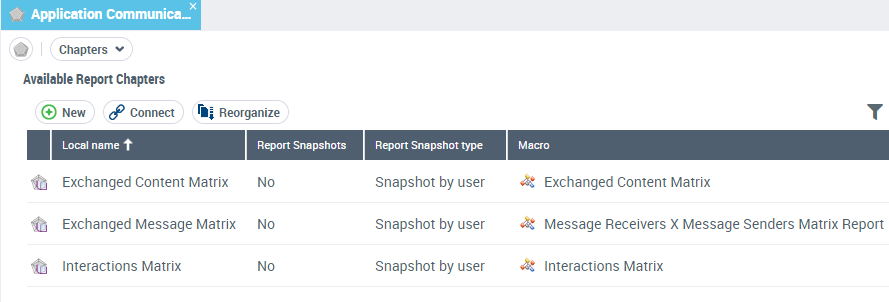
From the Available Report Chapters list, you can:
• add Report Chapters to the Report Template.
• organize the Report Chapters
• manage the report snapshot
Report Template Edition
The Report Template Edition defines the default style of the reports generated with this Report Template.
The Report field enables to associate the Report Template with a test report so as to define the style parameters that are applied to all the reports generated from this Report Template.
Permissions
In Access rights and Availability, the Tool Availability parameter defines for each profile, and associated Perspective, whether the Report Template is available to the user or not.
For details on permissions, see Managing UI Access (Permissions).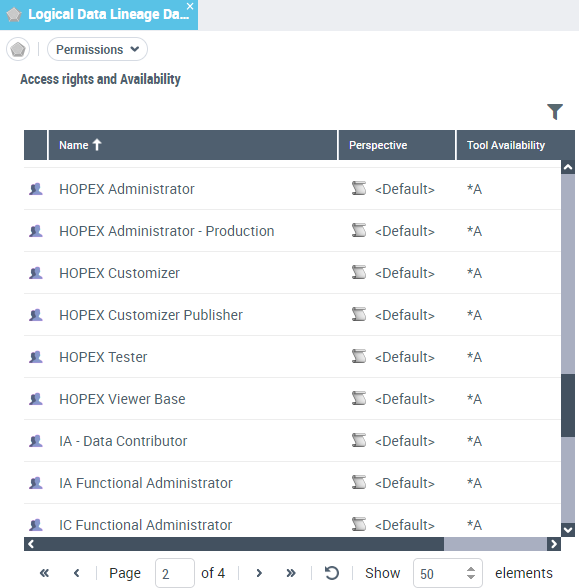
Advanced
In Advanced properties you can select:
• Automatic Report Creation
When selected, creating a report from this Report Template is available from any objects on which the Report Template applies.
• RTF font enabled
When selected, fonts used in the RTF texts of objects (e.g.: comment) are kept in web site generation. Else, a CSS file should manage the font choice depending on each HTML tag class.
Extensions
By default the end-user can print its report. With the Display print button parameter you can disable the print feature on the report.