Handling Windows
Arranging the edit area
Navigation
Depending on your needs, you can choose to display, reduce, or hide the navigation panel.
Search
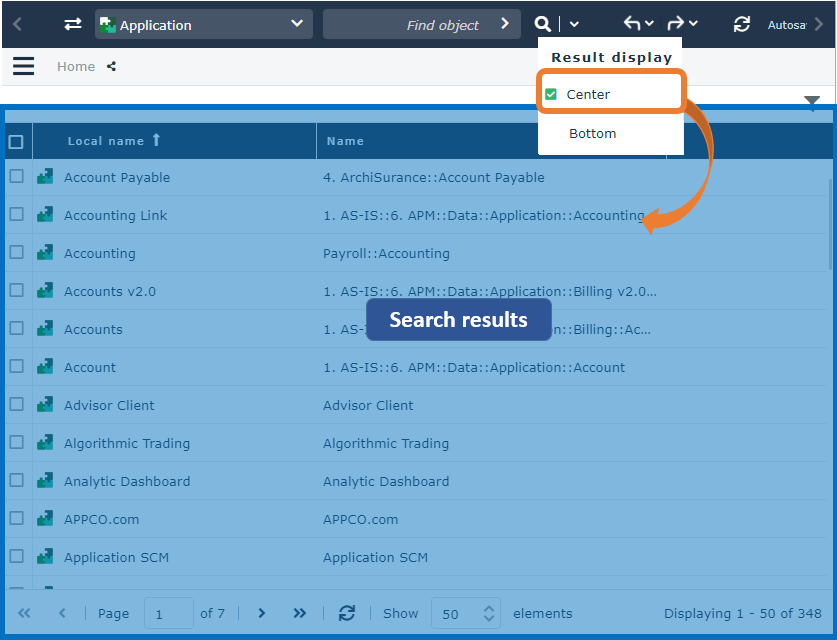
Depending on your needs, you can choose where to display your search results:
• in the edit area, for navigation purpose
• below the edit area
 For a better readability you can temporarily enlarge the window. See Maximizing/Reducing a window.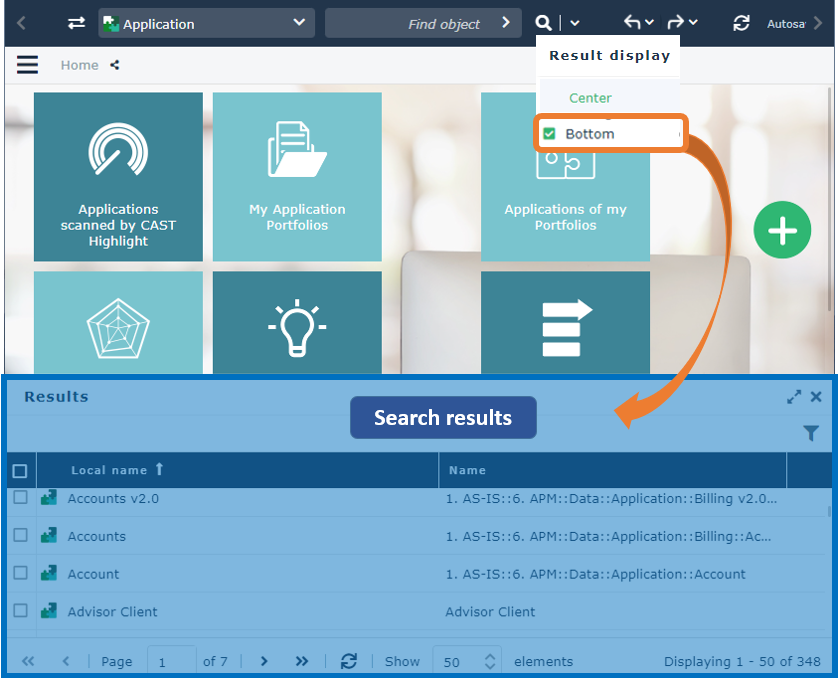
Maximizing/Reducing a window
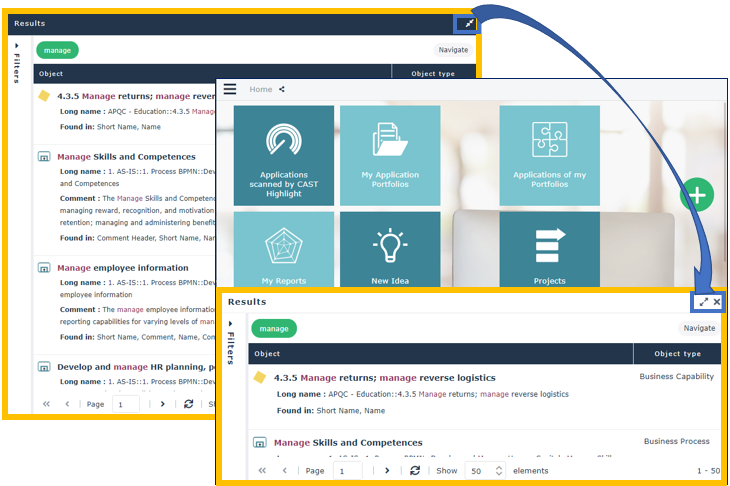
For a better readability you can enlarge certain windows:
• the pop-up window that opens a Diagram
E.g.: useful to display a crowded diagram.
• the search Results window
E.g.: useful with a search with numerous results.
To display the window in full page for a better readability:
1. In the window bar, click Maximize  .
.
.The window displays over the entire page (hiding the desktop).
2. To display the window back to its place, click Reduce  .
.
.The window is back to its previous size and place.