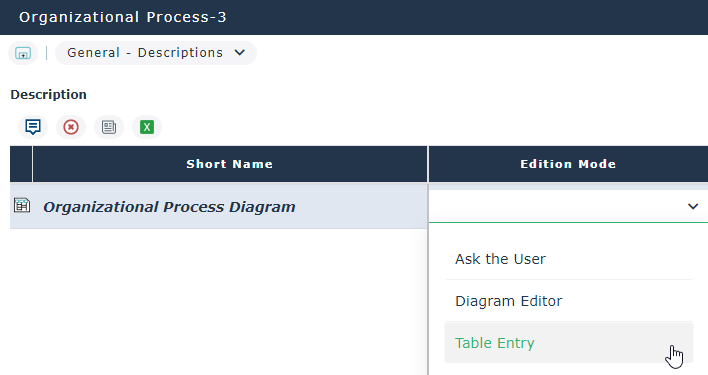
Defining the diagram opening mode
An option allows you to define the default opening mode of all your diagrams. Possible options are the following:
• Diagram Editor
• Tabular Entry,
• Ask the user.
To activate this option:
1. In the workspace, open the Options navigation window.
2. In the tree on the left, select Compatibility > Diagram > Choice of diagram opening mode.
3. Select the default diagram opening mode.
Creating a diagram in tabular entry mode
The tabular entry mode is offered for certain diagram types only.
To create a diagram using the tabular entry mode from an object list:
4. Roll the mouse over the Local name of the object you want to describe.
A list of buttons appears.
5. Click Create Diagram  .
.
.The Diagram type selection dialog box opens.
6. Select the diagram type you want to create.
7. (If tabular entry mode is available on the selected diagram type). In the Edit Mode, activate “Edit the diagram with tabular entry”.
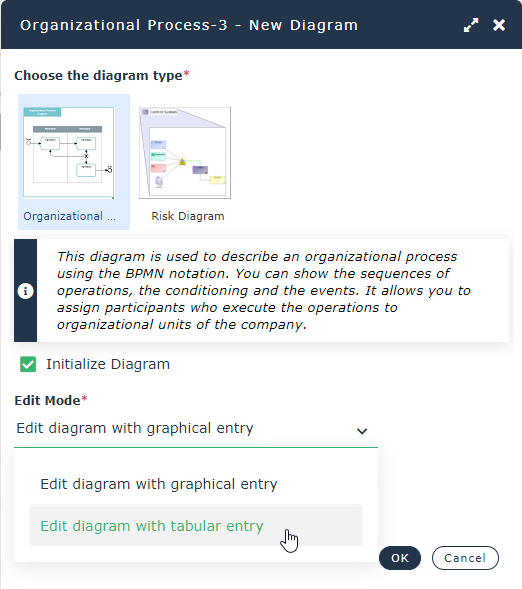
 The choice of a diagram opening mode is proposed if the Compatibility > Diagram > Choice of diagram opening mode option is set to “Ask the user”.
8. Click OK.
The tabular entry editor opens in the View edit area.
The table already contains the elements contained in the diagram. The view of the elements in the table and the diagram can vary according to the rights attached to the user profile.
For more details on previewing a diagram, see "Viewing in a window the diagrams containing an object", page 153.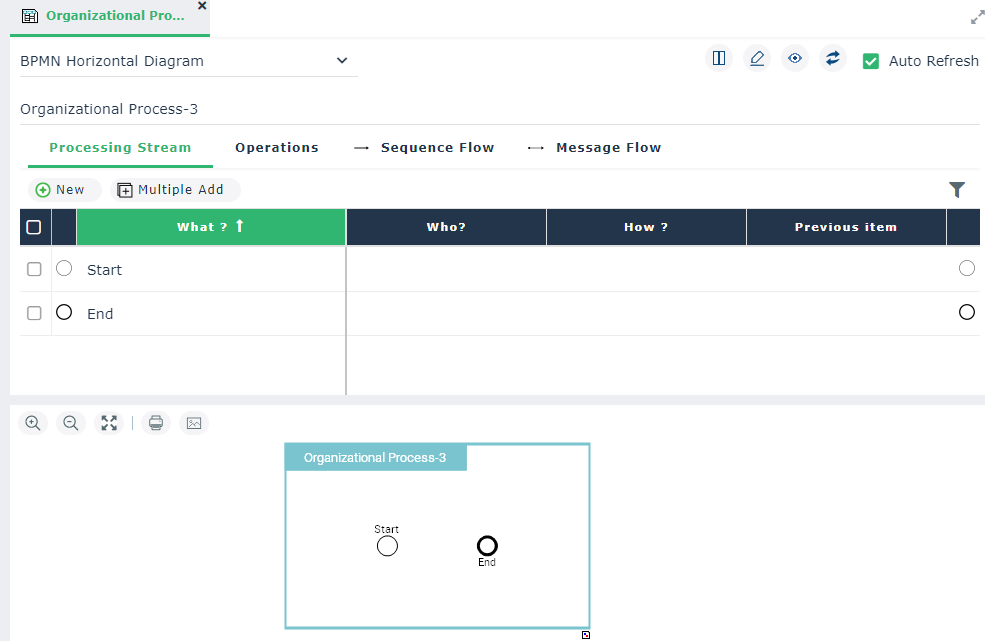
The tabular entry mode page is divided into two sections:
• one section contains the input table for the diagram data,
• the other section contains a preview of the diagram.
Modifying the diagram edition mode
When a diagram is created, its edition mode is specified depending on the user choice.
For more details on the user choices, see Creating a diagram in tabular entry mode.To modify the edition mode of a diagram created in tabular entry mode:
 Click the Edit the diagram
 button.
The diagram is displayed in diagram edition mode.
To modify the edition mode of a diagram created in edit mode:
1. Open the Properties button of the diagram to access to the Characteristics property page.
2. In Edition Mode section, select tabular entry.
3. Close the diagram and open it again.
The diagram is displayed in tabular entry mode.