Report Generation
In HOPEX, you can group sets of repository objects and study the interactions of these objects to produce different reports. Reports are created from predefined report templates.
Several report templates are provided with HOPEX SAP Blueprint.

You can also create your own reports using the templates provided by
HOPEX. The templates are available in
HOPEX Windows Front-End in the
Utilities navigation window of the
HOPEX workspace.
For more information on creating reports, see :
• "Managing reports (Windows Front-End)", page 314
• "Managing reports (Web Front-End)", page 325
To access a SolMan report from an object:
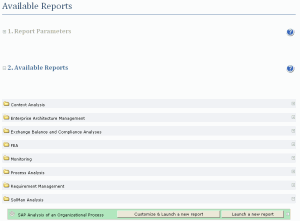
1. In the Solution Manager navigation window, right-click the object on which you want to base the report (SolMan Project or mapped Organizational Process for example) and select Report Discovery.
A page appears with the list of all the reports available for the object.
2. Select the SolMan Analysis folder.
3. Click the Launch button next to the name of the report.
The report is launched.
You can also modify the report by clicking the
Customize and Launch a new report button.
The report appears in the central window of the HOPEX workspace.