Navigating in Web Front-End desktops
Accessing Commands Associated with Objects
On an object list
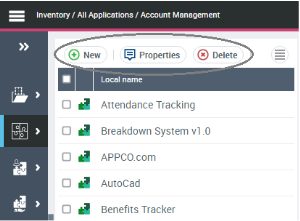
Commands are associated with an object list.
Below, for example, from the list of repository applications you can:
• create an application
• view the properties of an application
• delete an application
• etc.
The

button displays other hidden commands.
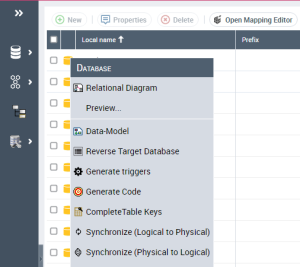
On the object of a list
You can access commands specific to an object by clicking on the icon of the object in question.
In a diagram
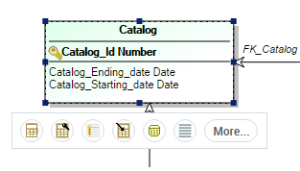
Depending on the diagram display mode (edit mode or preview mode), you can access different commands on the objects in the diagram.
To access commands available on an object:

In the diagram, click the object in question.
Example
In a relational diagram in edit mode, from a table, you can create a table, a column, an index, etc. You can also access the table pop-up menu.