Viewing the Characteristics of a Login
 For detailed information on characteristics of a login, see Login Properties (Person).To configure a login, see Defining the Login of a Person.
You can view the characteristics of a login:
• directly in the Characteristics property page of the login holder (person or person group), Application Access section (Application Access and Application access).

• in the property pages of the login.
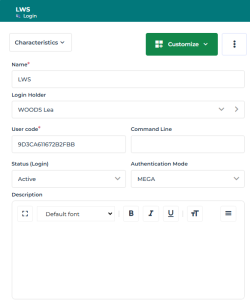
To view the characteristics of a login:
1. Access the Users management pages.
2. Click Persons or Person Groups.
3. In the list toolbar, select the person (or person group) concerned.
4. In the list menu bar, click Login  > properties.
> properties.