Viewing the Characteristics of a Person
The icon of a person shows:
•  when the person is created (name and writing access area defined) but does not have a login.
when the person is created (name and writing access area defined) but does not have a login.•  when the person has a login but is not fully configured (e-mail or profile assignment is not defined).
when the person has a login but is not fully configured (e-mail or profile assignment is not defined).•  when the person is configured as a Hopex user:
when the person is configured as a Hopex user:name, writing access area, login, and e-mail address are specified and a profile is assigned to the person.
To view the characteristics of a person:
1. Access the Persons management pages.
2. In the list of persons, click the name of the person.
 Alternative: hover the cursor over of the person name then click Open in a new tab
  .
. You can use the list filtering tool to help you find the person.
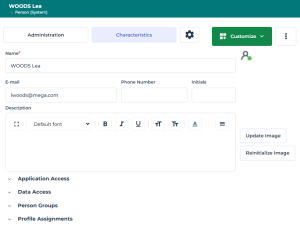
The Characteristics property page of the person is displayed.
See Person Properties.See Defining a Person.3. To display:
• the activity on the person, display its Activity Feed property page.
• the history of actions performed on the person, in the property page menu bar, click  then select Manage > History.
then select Manage > History.