Viewing the Characteristics of a Person Group
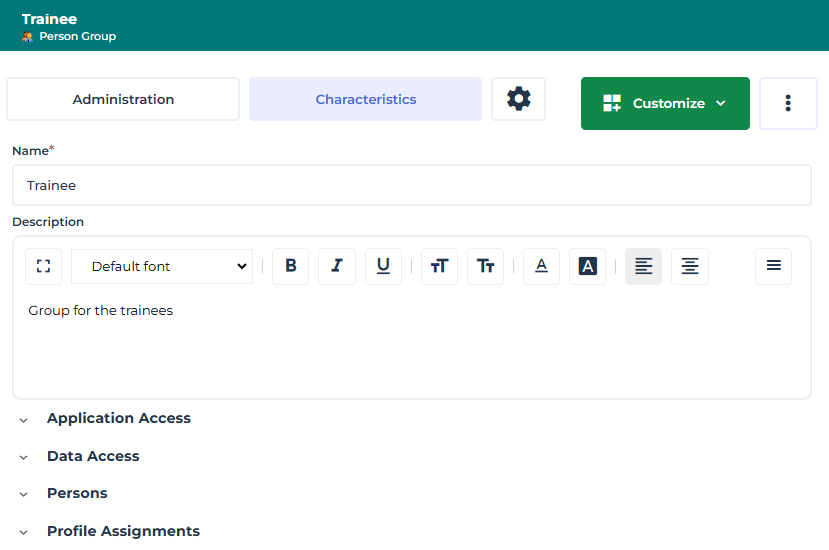
To view the characteristics of a person group:
1. Access the management pages of the Person groups.
The list of person groups appears with for each group, where necessary, its associated SSO group, and its description.
 You can sort or filter the display according to the columns.You can connect an SSO group to the group from this page (clicking in the corresponding field).
2. In the list of person groups, click the name of the person group.
Alternative: hover the cursor over of the person group name then click Open in a new tab  .
. You can use the list filtering tool to help you find the person group.
The Characteristics property page of the person group is displayed.
3. To display:
• the activity on the person group, display its Activity Feed property page.
• the history of actions performed on the person group: in the property page menu bar, click  then select Manage > History.
then select Manage > History.