Actions on an Object in a Tree
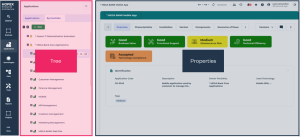
In a tree in the browse area, when you click on an object, its properties open to the right of the tree:
In a full page tree, when you click on an object, its properties open in the edit area in place of the tree.
In a tree, other actions on an object are available:
• when you hover the cursor over the object row
• when you right-click the object, in its contextual menu
Actions on the row of an object
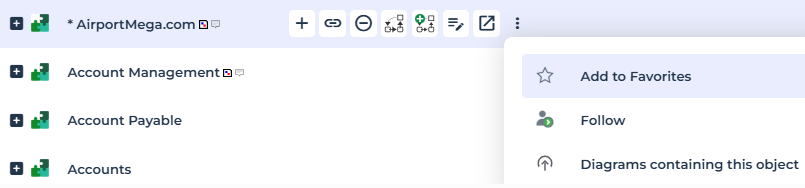
In a tree, when you hover the cursor over an object row, a list of buttons pops up:
• with the first part of the list, you can perform common actions on the object
• (edit area specific) the second part provides direct access to collaboration features related to the object
Icon | Action on the object | For more details, see: |
|---|
| Quick access, to define specific characteristics of the object | |
| Connect the object to an object type to which it can be connected | |
| Remove the object from its folder (and/or delete it from the repository depending on cases) | |
| Open the diagrams describing the object in the Edit area | |
| Create a diagram in the Edit area | |
| Display the properties of the object in the Edit area | |
| Display the object properties in a new tab | |
| Add the object to your favorites | |
| Follow the object to be informed of all the modifications performed on this object | |
| access diagrams containing the object | |
Object pop-up menu
To access all the commands specific to an object in a tree:

Right-click the object row and in its pop-up menu, select the action.
E.g.: the contextual menu of an application in a tree, with the EA Functional Administrator profile.