13. Attachment API: Uploading or Downloading Business Document
In HOPEX, you can store attachments in the concept called Business Document.
Supported files (e.g: DOCX, XLSX, JPEG, PNG, PDF) can be uploaded/downloaded from the web interface. You may want to access this information by REST API to perform the same upload/download action.
See video: https://youtu.be/nS7WYsDtr0Q.
13.1. Use case
The Attachment API allows you to upload and query file attachments. You can upload or retrieve a single file with each request. The Attachment API complies with HOPEX limitations on uploaded files, such as maximum file size and allowed attachment types.
The API supports the following features:
• Upload: it manages new business documents or new version of an existing document
• Download: it allows to download the latest version or a selected version of a business document.
To perform this action:
1. Create or select the object in HOPEX via the GraphQL API.
2. Upload/download the binary file via a dedicated endpoint.
13.2. Downloading an attachment (Business Document)
To download an attachment with the REST API:
1. Create a GraphQL query to get the download URL for your document.
2. Call the URL to download the file.
GraphQL query executed on the {{server_url}}/HOPEXGraphQL/api/{{schemaName}} endpoint
|
Query
|
Result
|
|
query {
businessDocument{
id
name
downloadUrl
}
}
|
{
"data": {
"businessDocument": [
{
"id": "Dbm4QHHbM5vH",
"name": "Audit Report",
"downloadUrl": "http://w-ogd/hopexgraphql/api/attachment/Dbm4QHHbM5vH/file"
}
]
}
}
|
The download URL are like:
{{server_url}}/HOPEXGraphQL/api/attachment/{{documentId}}/file
where {{documentId}} represents the absolute identifier of the object in HOPEX. They must be called with GET verb.
Should you want to access a specific version of the business document, use the absolute identifier of the version you want to download. You can make a graphQL query on the business document version.
|
Query
|
Result
|
|
query {
businessDocument(filter:{id:"Dbm4QHHbM5vH"}){
id
name
downloadUrl
businessDocumentVersion_DocumentVersions {
id
name
documentVersion
downloadUrl
}
}
}
|
{
"data": {
"businessDocument": [
{
"id": "Dbm4QHHbM5vH",
"name": "Audit Report",
"downloadUrl": "http://w-ogd/hopexgraphql/api/attachment/Dbm4QHHbM5vH/file",
"businessDocumentVersion_DocumentVersions": [
{
"id": "sLD2611MNbrE",
"name": "Audit Report v2.docx",
"downloadUrl": "http://w-ogd/hopexgraphql/api/attachment/sLD2611MNbrE/file",
"documentVersion": "2"
},
{
"id": "Kcm4RHHbMTzH",
"name": "Audit Report v1.docx",
"downloadUrl": "http://w-ogd/hopexgraphql/api/attachment/Kcm4RHHbMTzH/file",
"documentVersion": "1"
}
]
}
]
}
}
|
Example with Postman:
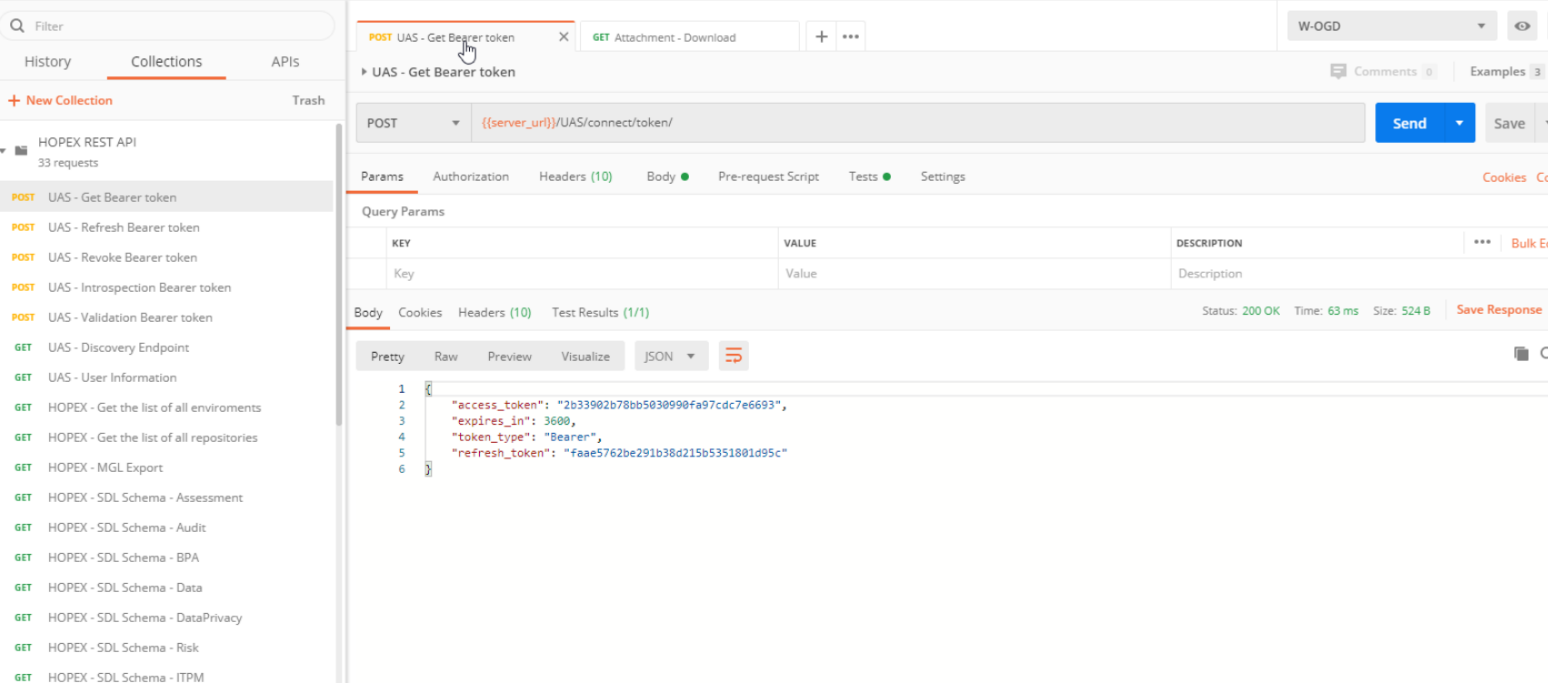
Query
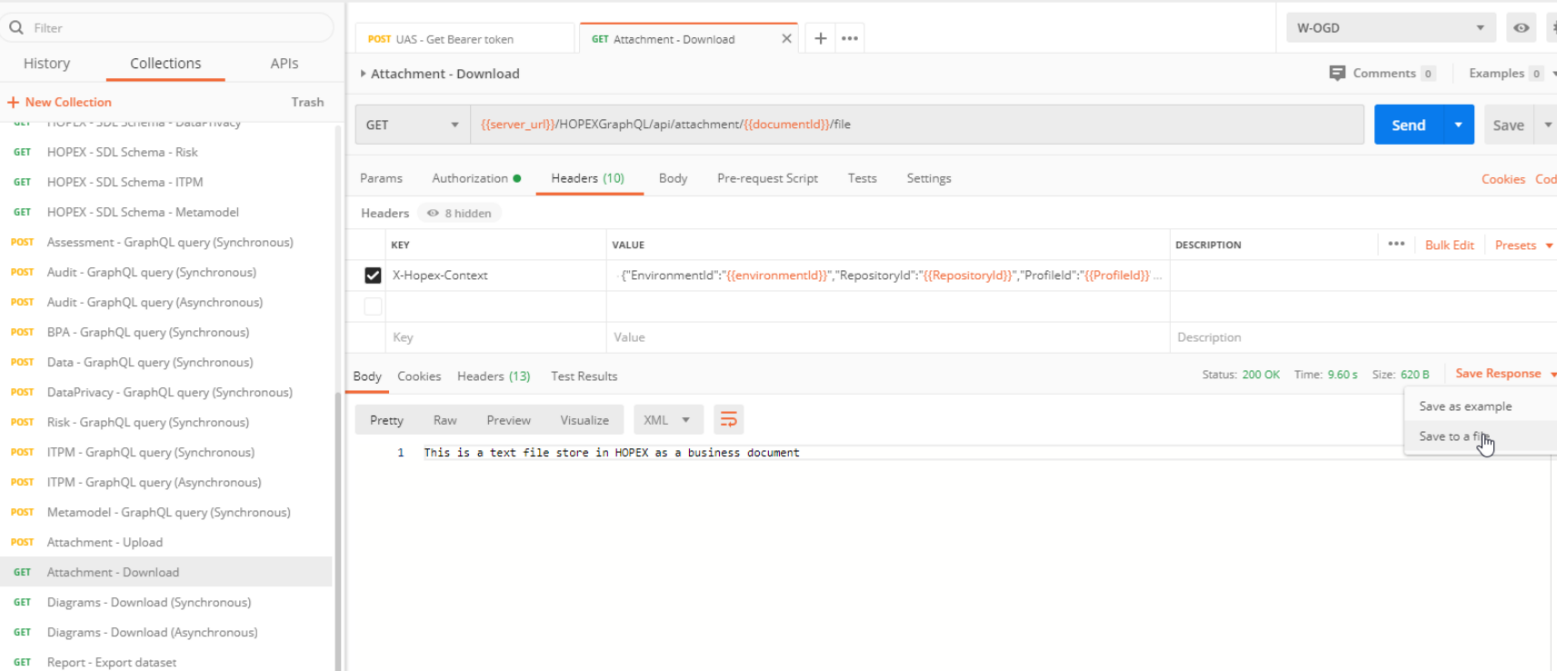
Result
13.3. Uploading an attachment (Business Document)
When you upload an attachment you need to know if the business document already exists or not in HOPEX. Below you will find the 2 cases.
Case 1: Upload for a new business document
You must:
1. Creat the business document object via GraphQL
2. Upload the binary content in this newly create via the dedicated endpoint
|
Query
|
Result
|
|
mutation newBusinessDocument {
createBusinessDocument(
businessDocument:{
name:"My new Document"
}
) {
id
uploadUrl
}
}
|
{
"data": {
"createBusinessDocument": {
"id": "Sjot25kbUvI3",
"uploadUrl": "http://w-ogd/hopexgraphql/api/attachment/Sjot25kbUvI3/file"
}
}
}
|
You now have the ID and upload URL for your document. The upload URL are like this:
{{server_url}}/HOPEXGraphQL/api/attachment/{{documentId}}/file
where {{documentId}} represent the absolute identifier of the object in HOPEX. They must be called with POST verb.
Then follow the instruction described in final step below.
Case 2: Update of an existing business document
You must:
1. Get the business document upload URL.
2. Upload the binary content and decided to update or create a new version of the binary content.
|
Query
|
Result
|
|
query {
businessDocument(filter:{id:"Dbm4QHHbM5vH"}){
id
name
uploadUrl
}
}
|
{
"data": {
"businessDocument": [
{
"id": "Dbm4QHHbM5vH",
"name": "Audit Report",
"uploadUrl": "http://w-ogd/hopexgraphql/api/attachment/Dbm4QHHbM5vH/file"
}
]
}
}
|
Final step:
When you call the upload URL the header should contains:
• The document version: x-hopex-documentversion with possible value new or replace
o New: will upload a new binary content and thus create a new version of business document version
o Update: will upload a binary content and replace the current existing binary content for the latest business document version
• The document file name: x-hopex-filename that contain the name of the file with the extension
o Only the extension of the file is important as it will be used to defined the file content type
When you call the upload URL the body should contains:
• the binary content of the attachment
Example with Postman:
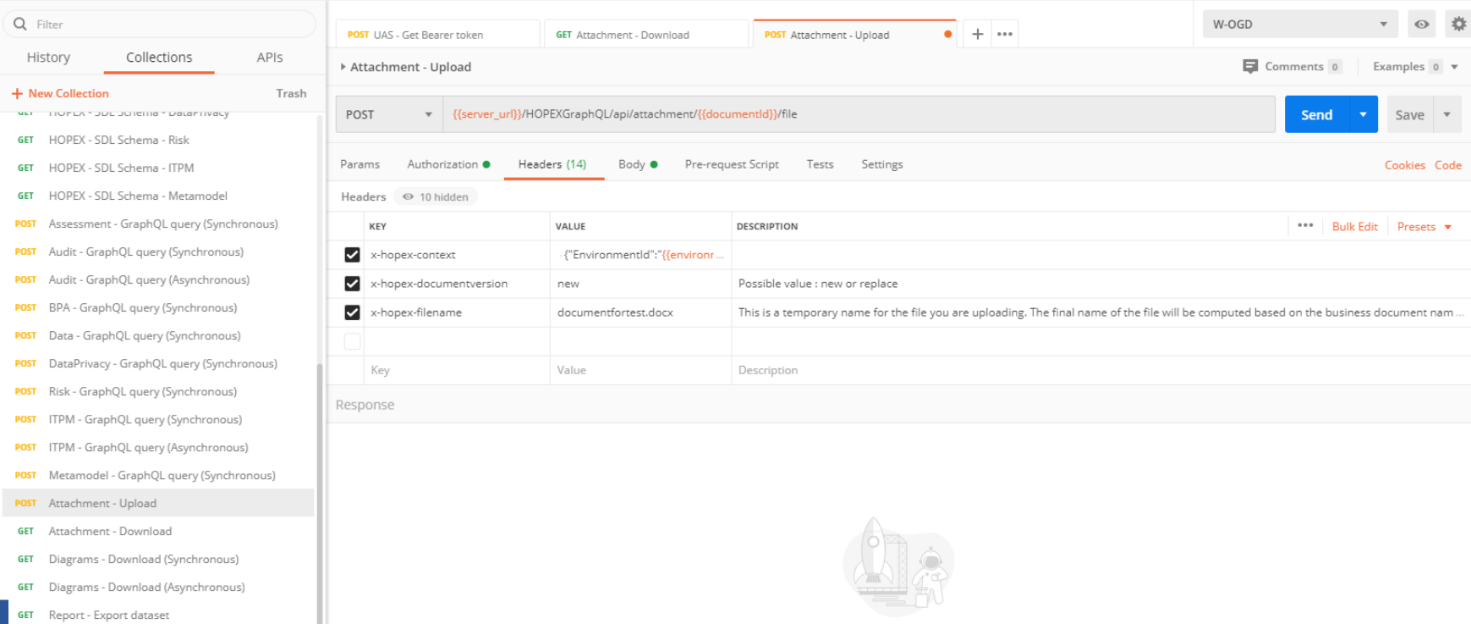
Query
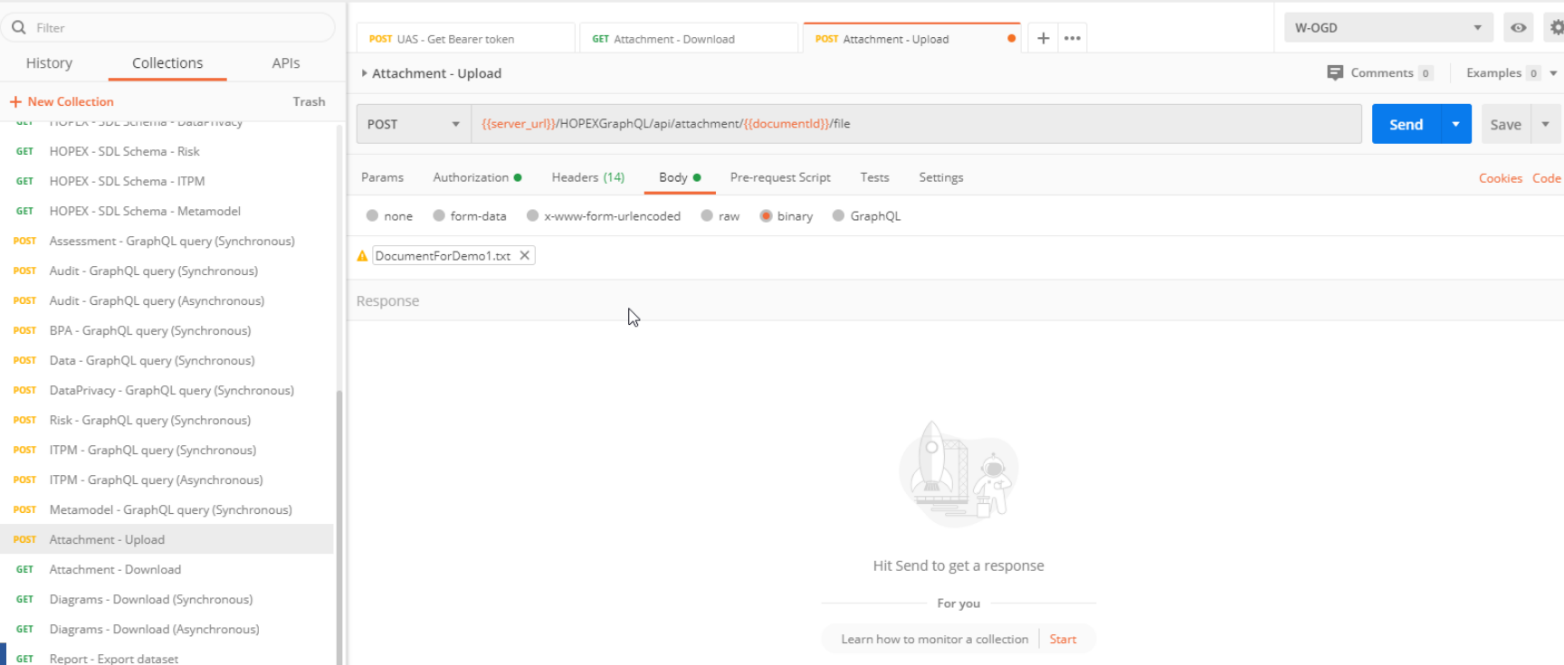
Result