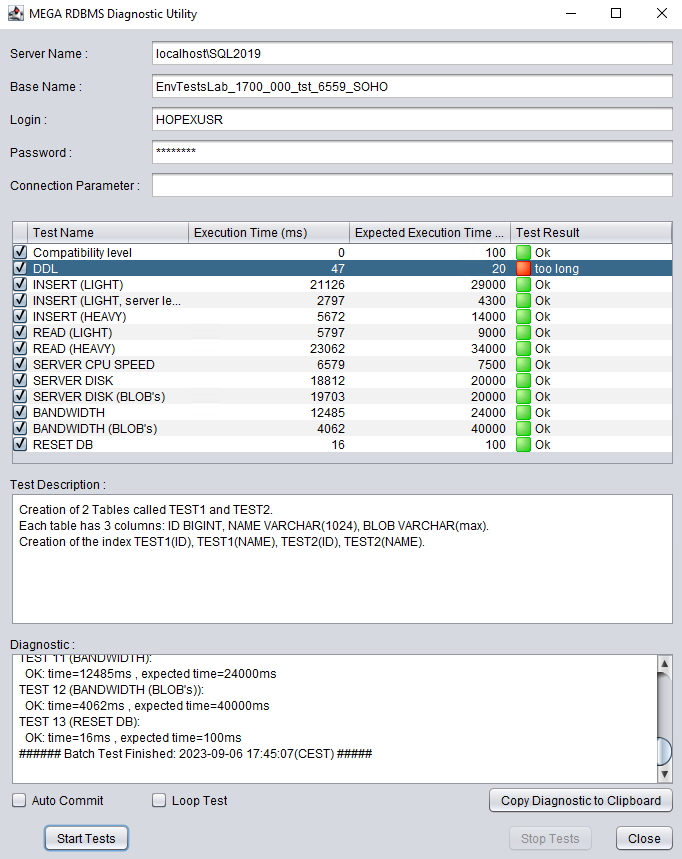
HOPEX RDBMS Diagnostic Utility
Purpose
MEGA provides a Java based utility that should be used before starting to use environments and repositories on an RDBMS. This utility runs several tests for which the results will be compared to some memorized values corresponding to a situation where HOPEX is likely to have close-to-optimum performances.
The RDBMS Diagnostic utility is available in MEGA HOPEX Store (store.mega.com).
Running the RDBMS Diagnostic Utility
A batch file was created to run the tool.
To run the RDBMS Diagnostic Utility:
1. From MEGA HOPEX Store (store.mega.com), download RDBMS Diagnostic module.
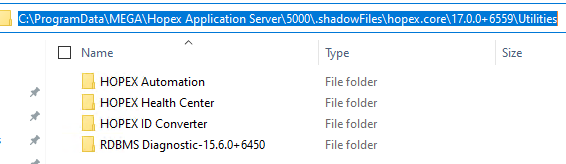
2. Extract the content of the “RDBMS Diagnostic.zip” compressed file, for example in the <HOPEX installation> > Utilities folder:
For example: “C:\ProgramData\MEGA\HOPEX Application Server\5000\.shadowFiles\hopex.core\15.6.0+6366\Utilities“
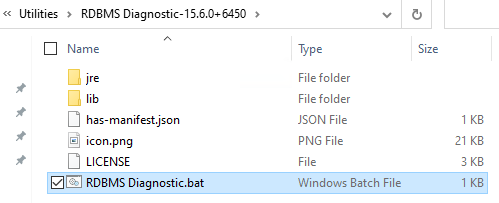
3. In the RDBMS Diagnostic folder, execute the RDBMS Diagnostic.bat.
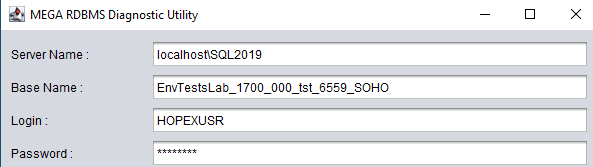
4. Enter the connection information to the RDBMS storage that is the target for hosting the HOPEX data:
o the server name
o a database name
5. Click Start Tests.
6. To get consistent times, the Expected Execution Time values were recorded after running the utility more than once and noticing that the values were stable.
So to get results that can be considered valid, run the utility twice and consider the values of the 2nd run.
Here is an example of test results: