1. Foreword
The document describes the installation procedure for HOPEX Application Server (HAS). This document applies to HAS installation from HOPEX V5 onward. Check if a more recent version of this document is available via the online MEGA Community.
Other documentations are available. Please refer to the online MEGA Community for other topics.
The option given for IIS and SQL Server may vary depending on your existing situation. A specific study from MEGA professional services might be required.
1.1. Installation & Architecture
Prerequisite: read the HAS Architecture Overview documentation prior to start the installation.
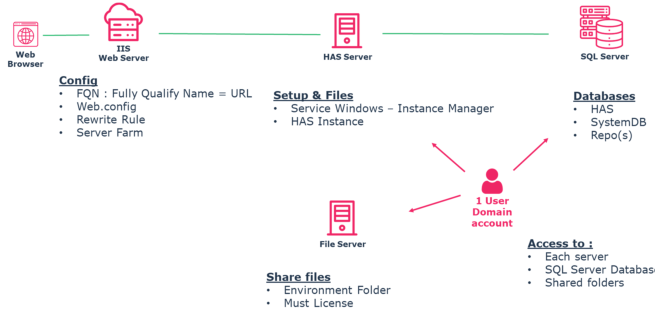
This installation describes installation and configuration of each layer:
3. HAS Server actions are performed with a “setup” , see chapter 3 “HOPEX Application Server (HAS) installation”
Each layer can be installed on one or several servers depending on the chosen infrastructure deployment pattern.
This document describes installation with Windows Server and SQL Server. Adjust accordingly should you be in another version. Always check prerequisite.
Each main chapter of this documentation describes the following architecture pattern:
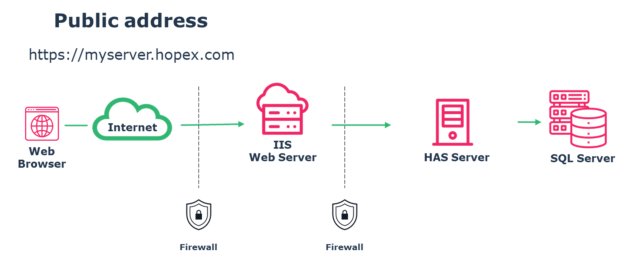
Three layer installation
1.2. Step Overview
1.2.1. Major actions
1.2.2. Database installation
As this step is performed by the customer database administrator, its description is not detailed in this documentation.
This documentation describes the database creation and backup restore or specific settings required.
In case of cluster deployment: there is no difference for database creation/restore.
1.2.3. IIS Web Server installation
This step is mandatory for all deployment except for developer laptop scenario.
In case of cluster deployment: repeat the process for each IIS server. Configure your load balancer accordingly. Read the cluster deployment for more details.
1.2.4. HAS Application Server installation
This step is mandatory for all deployment.
In case of cluster deployment: apply this step for the first server of the cluster farm. Ensure your installation is working then read the section about cluster deployment for more details.
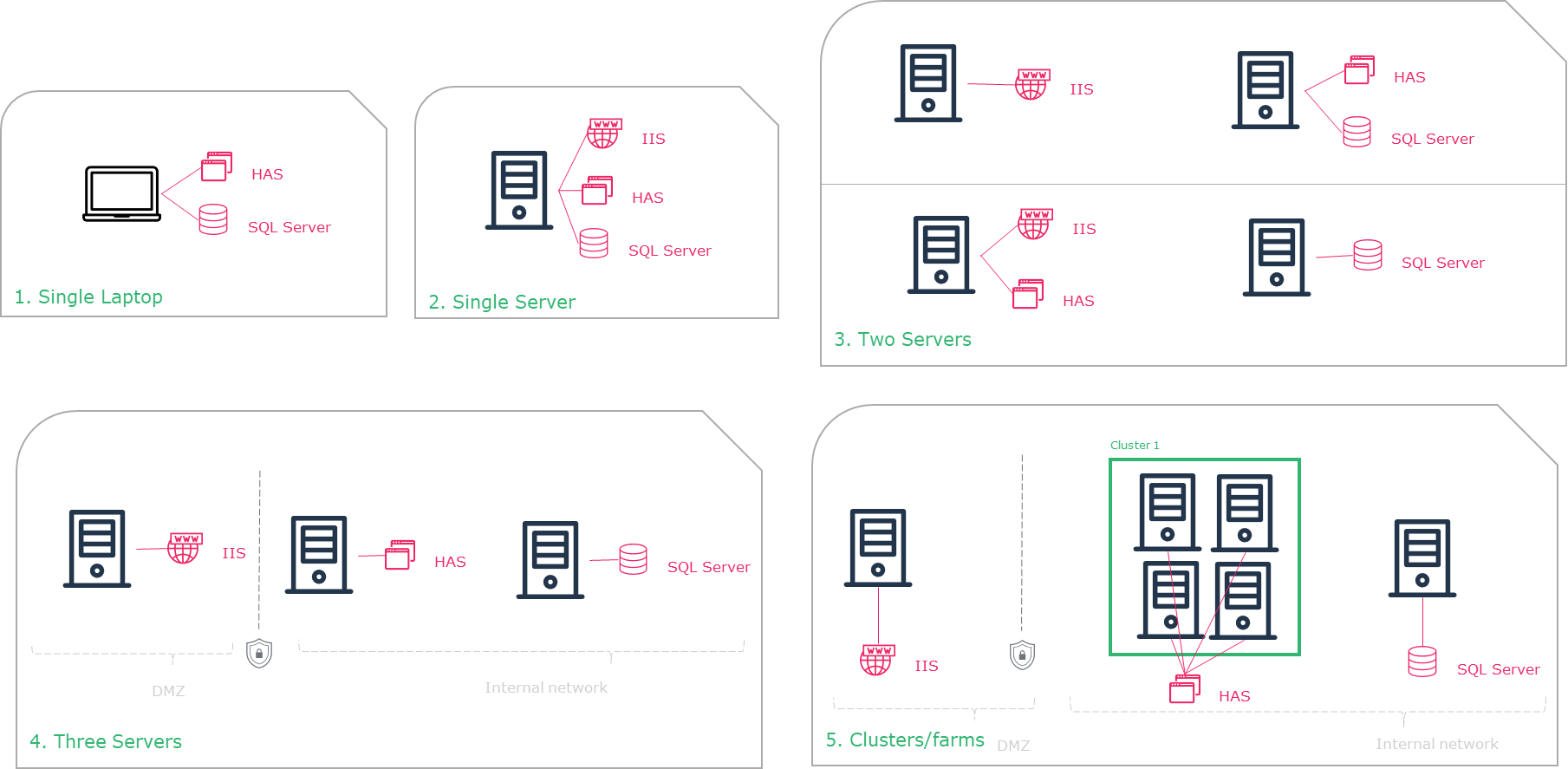
1.3. Different architecture installation scenario
Depending on the installation architecture pattern you choose, you need to repeat the installation steps described in the coming chapters.
|
|
|
Perform installation steps described in chapter
|
|
1
|
Single Laptop
|
|
|
2
|
Single Server
|
|
|
3.1
|
Two Servers
|
|
|
3.2
|
Two Servers
|
|
|
4
|
Three Servers
|
|
|
5
|
Cluster
|
1.4. Summary of my Installation
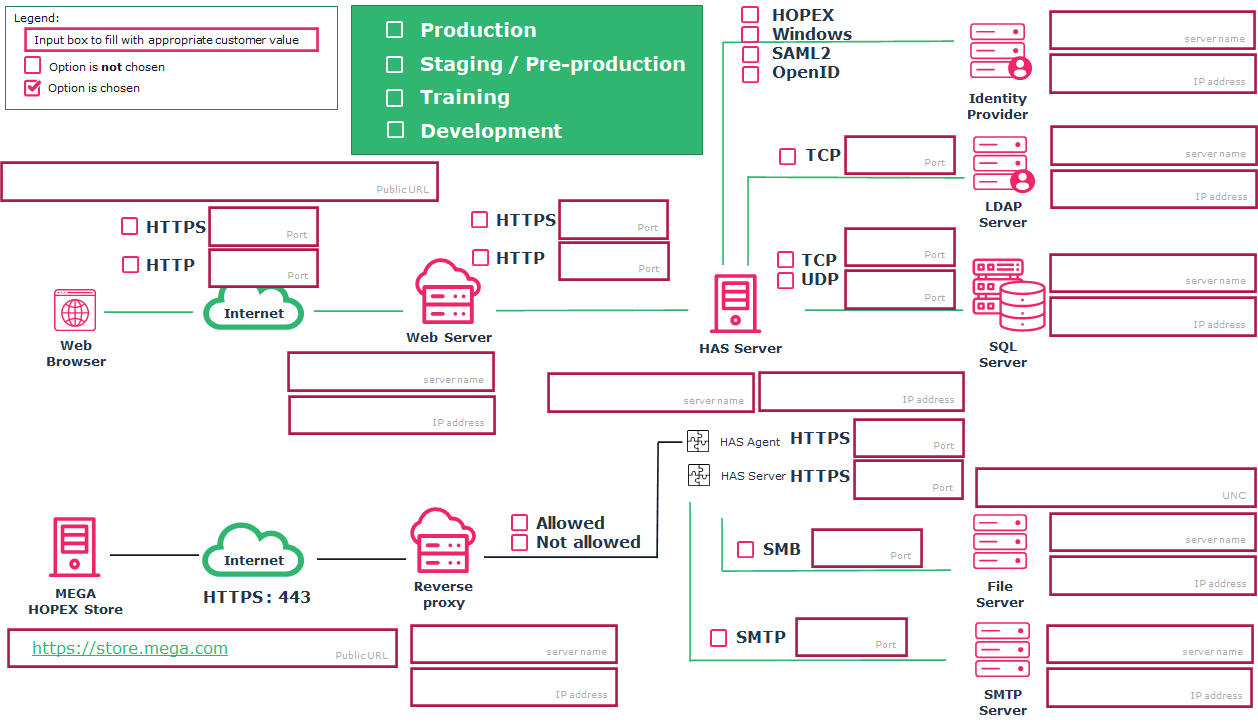
Complete/Print this architecture diagram and use it to ease your installation process for each environment.
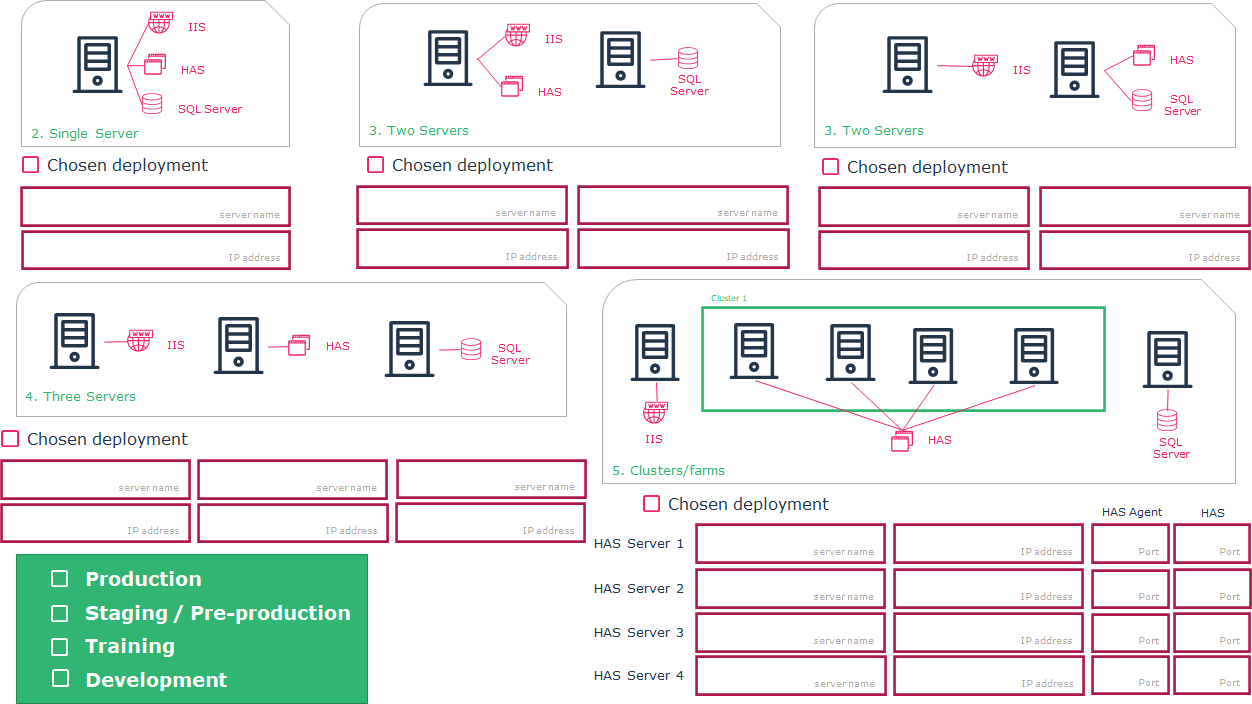
Complete/Print this architecture diagram and use it to ease your installation process.