Demonstrating Compliance
HOPEX Privacy Management enables you to create reports showing the compliance and accountability level of processing activities.
To access reports:
 From the navigation menu, select Reports.
Processing Activity Status
This report displays all processing activities, grouped by status, to quickly identify those requiring validation.
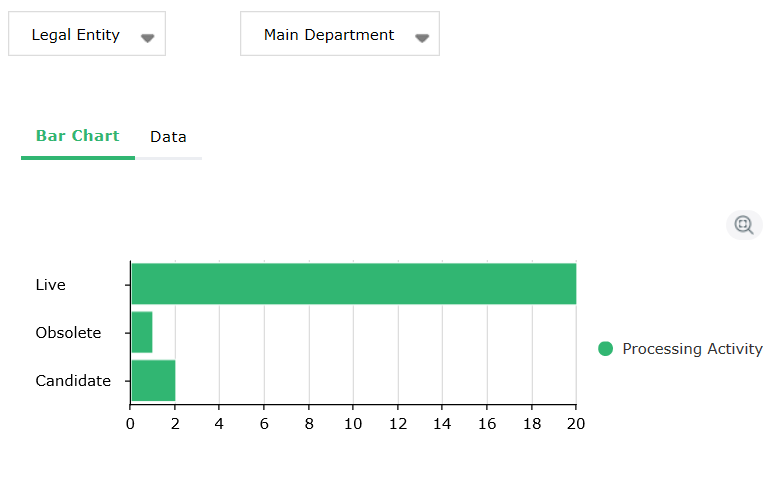
As a reminder, the following statuses are available:
• Candidate
• Live
• Obsolete
Legal Basis
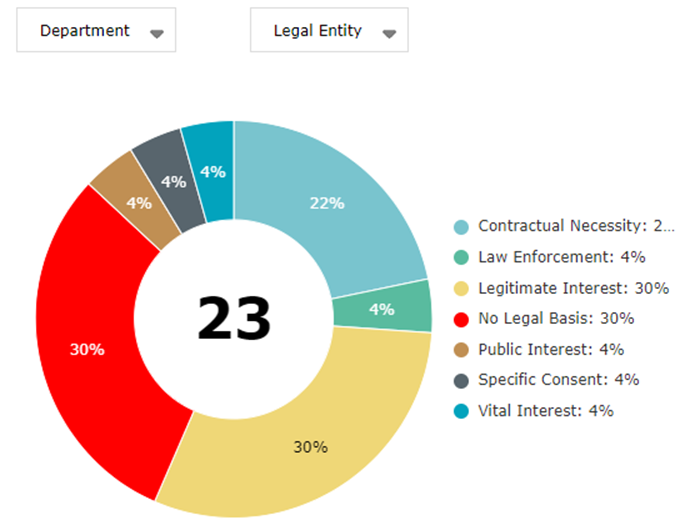
This report displays the processing activities grouped by legal basis. It also helps identify those which don't have one yet.
Sensitive Activities
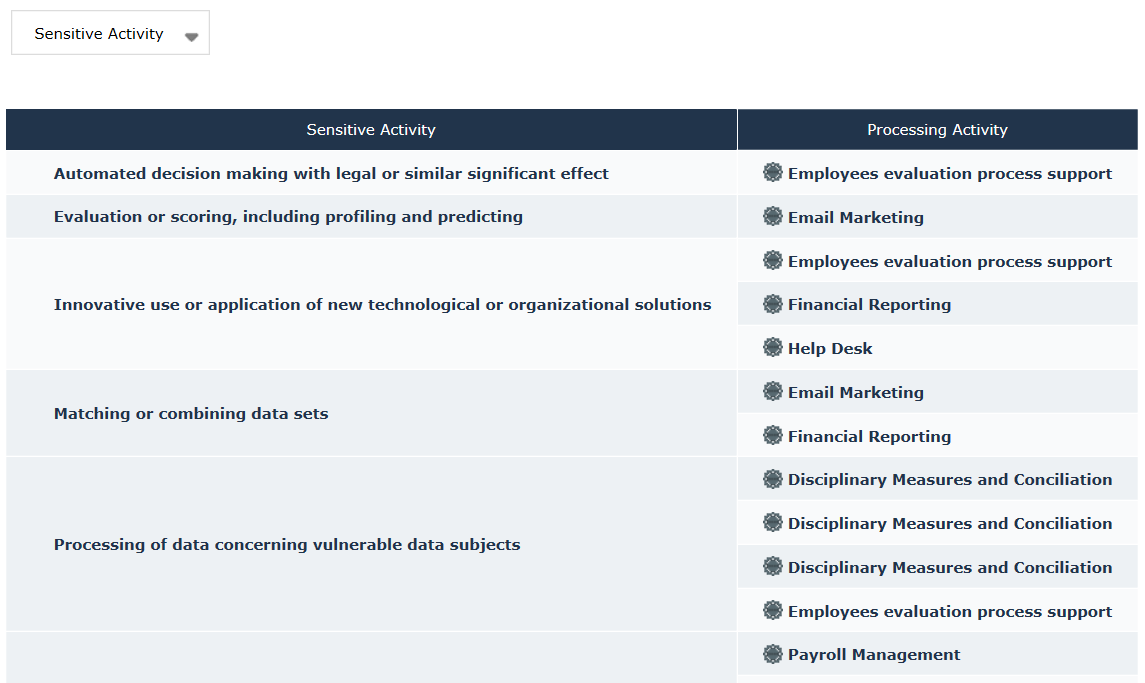
This report helps identify which processing activities are impacted by existing sensitive operations.
Record of DPIAs
To launch this report:
In the navigation menu select Reports > Standard Reports > Record of DPIAs.This report displays the different DPIAs which have been performed on the processing activities you can access. The following information is displayed:
• assessment name
• processing name
• DPO
• department
• compliance level
• final risk level
• completion date
To generate a DPIA document for a particular DPIA:
Select a DPIA and click DPIA Document. For more information on DPIAs, see Performing Impact Assessment (DPIA).
Data Risk Report
The DPO needs to produce a report with the overall risk and compliance level of all the organization processing activities.
To launch the data risk report:
In the navigation menu select Reports > Standard Reports > Data Risk Report.This report contains two tables:
• one for data categories
For more information, see Defining Data Categories.• the other for data subjects categories.
For more information, see Data Subject Categories.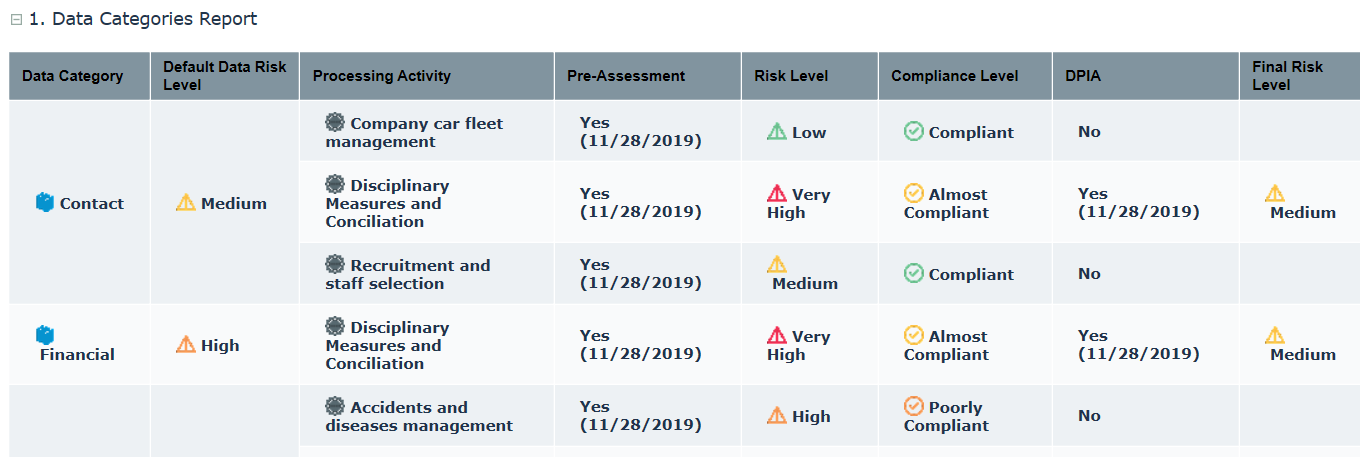
Both reports display compliance and risk level of the processing activities involving each data category and data subject category. The tables distinguish between pre-assessment and DPIA results.
You can generate a report in MS Word format by clicking the corresponding icon at the report level.Data Transfers
This report displays all data transfers of personal data, grouped by destination, highlighting personal data sent to unsafe countries.
To build a map displaying data transfers, see Cross-border Transfer Map.Data Subject Rights Report
To display the Data Subject Rights report:
In the navigation menu select Reports > Standard Reports > Data Subject Rights Report.This report contains all processing activities with the rights of data subjects which have been considered.
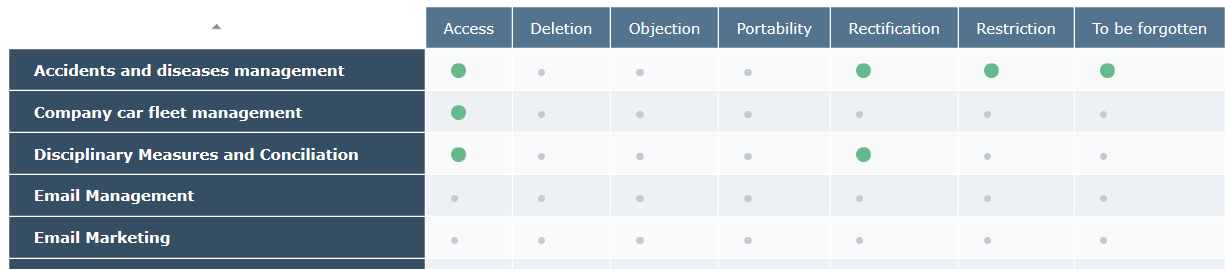 For more information on data subject rights, see Data Subject Right and Notice Management.