Cross-border Transfer Map
You can generate a cross-border transfer map displaying a world map with the data transfers selected.
Pre-requisites to using cross-border transfer map
Make sure that:
• a country was specified on the HQ establishment of the legal entities involved.
 For more information, see Specifying the country of a legal entity.
• you specified both a recipient and a sender on the transfer
For more information, see Specifying data transfers on a processing activityContent of the transfer map
The country of the recipient determines whether the transfer is adequate or not.
If a transfer is non-adequate, you can source the target establishment and discover which safeguards are implemented in this establishment. For more information on safeguards, see Defining Transfer Safeguards.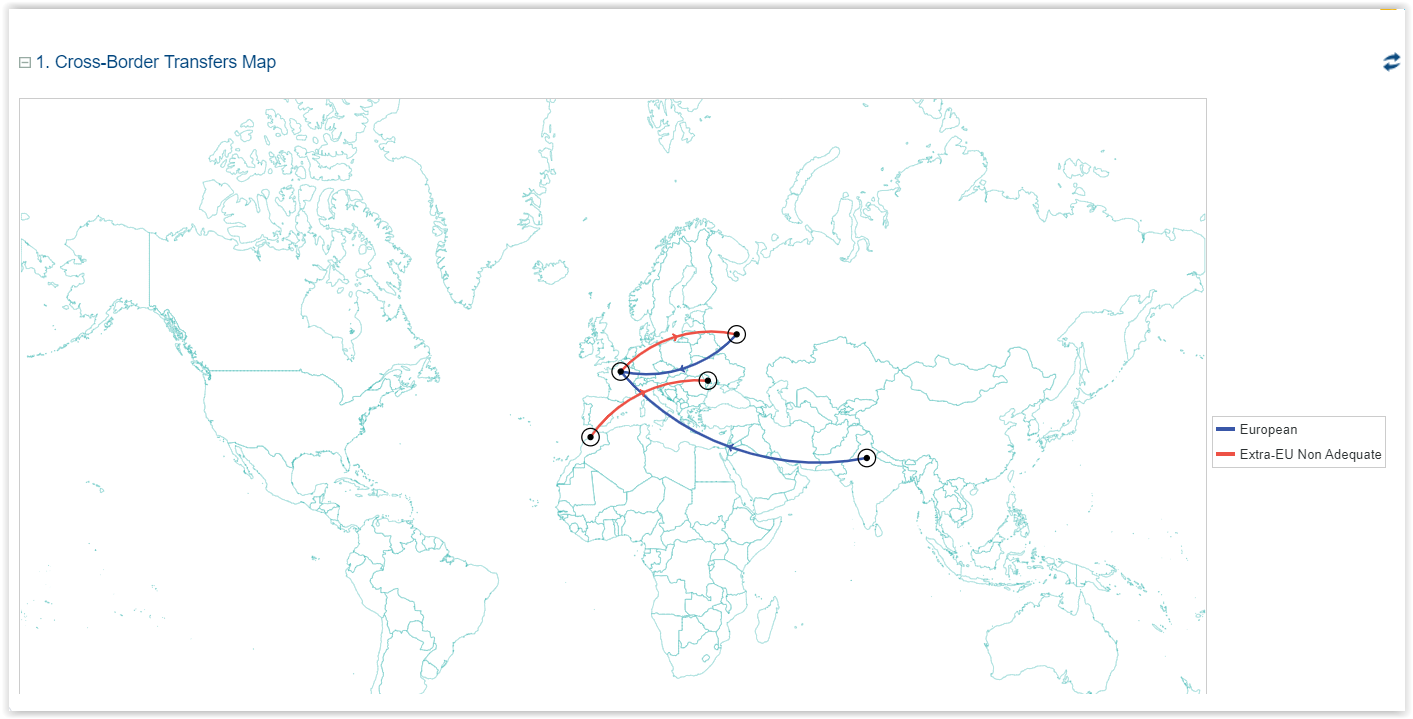 You can use the mouse wheel to zoom in or out.
Additional information about transfers
For more information on how to create transfers, see Specifying data transfers on a processing activity.
For troubleshooting, see About Transfers.