Creating Processing Activities
You can directly create processing activities in HOPEX Privacy Management.
You can also create processing activities:
• by duplicating an existing processing activity
• by reusing EA processes and applications.
Creating Processing Activities in HOPEX Privacy Management
To create a processing activity directly in HOPEX Privacy Management:
1. In the navigation menu select ROPA.
2. Click New.
If needed, you can create processing elements. If this is the case, it is advised to describe the general processing activity first then create processing elements if differences need to be specified.
 For more information, see Managing Processing Activity Elements.
Creating Processing Activities through Duplication
You can create processing activities by duplicating an existing processing activity. The existing processing activity serves as a template.
To duplicate a processing activity:
1. In the navigation menu select ROPA.
2. Select a processing activity.
3. Click the  button that appears and select Duplicate.
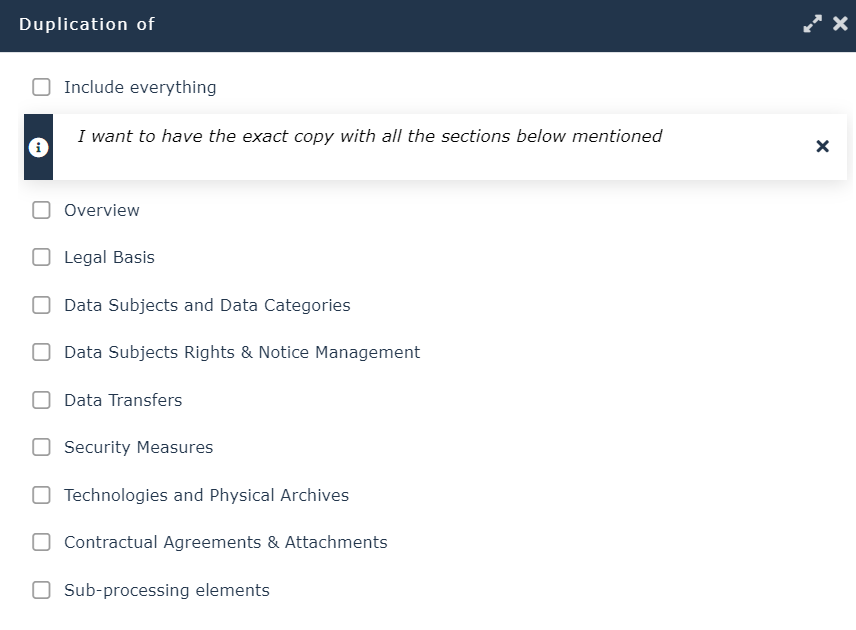
button that appears and select Duplicate.4. In the wizard that appears, select the sections you need to duplicate:
• Overview
• Legal Basis
• Data Subjects and Data Categories
• Data Subject Rights and Notice Management
• Data Transfers
See Data Transfers.• Security Measures
See Security Measures.• Technologies and Physical Archives
• Sub-processing Elements
5. Click OK.