Enriching Questions Visually
Modifying Question Layout
You can modify the global display of your questions. For more details on possible parameterizations, see Question layout.
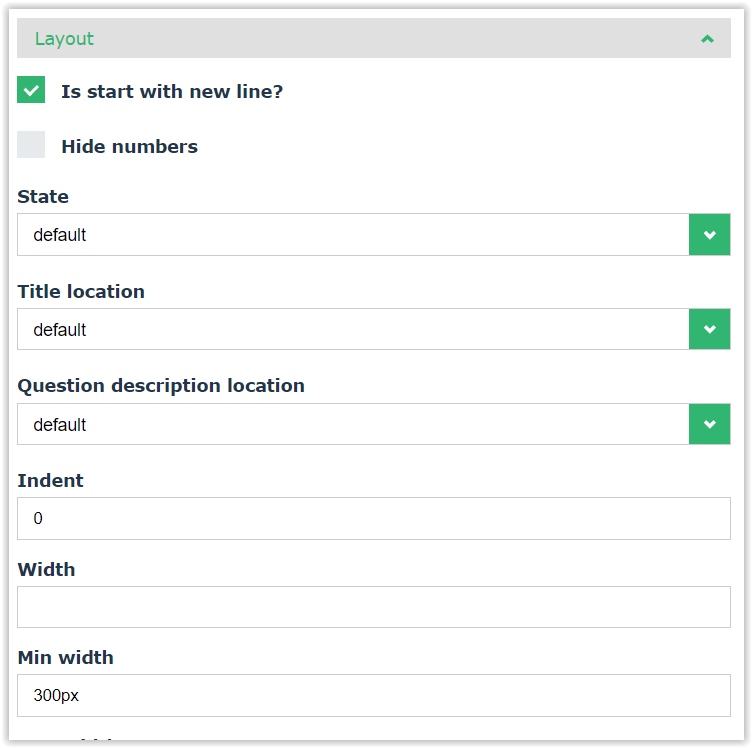
The Layout section on each question offers the following additional possibilities:
• display two questions on the same row: to do so, at the second question level, unselect the Is Start with new line check box.
• hide question numbers: select the Hide question numbers.
• specify indent
• specify:
• a specific width
• min and max width
Managing Questions of HTML or Image Type
Questions of Image or HTML types are not real questions and do not require an answer. They are read-only questions.
Creating a question of Image type
To add an image to your questionnaire:
1. Open the questionnaire template.
2. Add an “Image” type question.
3. In the Image Link fields, enter a proper URL
 See Question Types.
Creating a question of HTML type
You may, for example, use a question of HTML type to:
• insert an image
• insert a video.
