Indicating Elements Hosted by the Area
To determine best positioning of applications in the city plan, you can run a report "IS Compliance with City Plan". This places applications in appropriate areas according to the rules you have previously defined. See Compliance Report Operation.
Depending on report results, or in the case of specific requirements, you can manually specify that a particular application is hosted by a particular area.
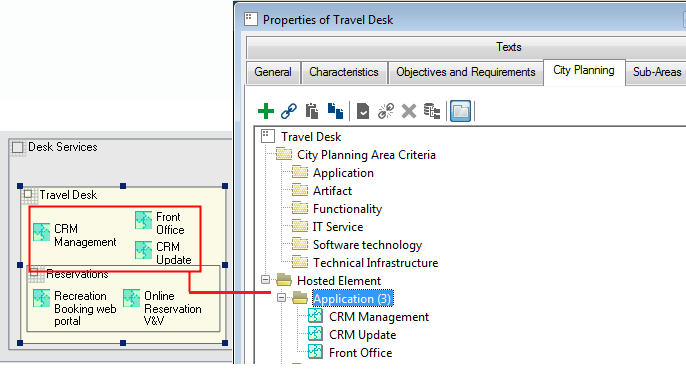
To indicate that an application is hosted in a specific city planning area:
1. Open the properties dialog box of the area.
2. Select the City Planning tab.
3. Expand the Hosted Element folder.
4. Right-click Application and select Connect.
The selection dialog box appears.
5. Select the application and click OK.
The application appears in hosted elements.
Linking hosted elements to city planning rules
To be evaluated as complying with the city plan, elements hosted on an area must follow rules defined at the level of this area, in other words they must be linked to elements specified on the area (for example implemented functionalities).
Compliance Report Operation
The report template "IS Compliance with City Plan" relates area information with hosted elements so as to determine the compliance level of each application system.
The generated report can automatically position system applications in the different areas, ensuring maximum compliance level. This automatic positioning is based on comparison of applications with rules, but also takes account of interdependence of applications. Transfer of an application from one area to another can result in a reduction in compliance of another application (for example when transfer of an application disturbs exchange of data with another).
If the user has itself positioned the application in an area, the tool respects the decision of the user and will not reposition.
