Using Operational Activities

Accessing Operational Activities
To access the list of Operational Activities:
1. From the Operational navigation menu, select Processes.
2. Click the Owned Value Streams tab
The list of Operational Activities appears.
Creating an Operational Activity
To create a Operational Activity:
1. From the Operational navigation menu, select Processes.
2. Click the Owned Value Streams tab
3. Click New.
The Operational Activity is created and added to the list of Operational Activities.
4. Specify the name of the new Operational Activity,
Properties of an Operational Activity
The Characteristics properties page of the Operational Activity provides access to:
• its Owner, by default on creation of the Operational Activity, the current enterprise.
• its Name,
• the text of its Description.
You can describe an Operational Activity as follows:
• The Value Stream Fulfillments page provides access to:
• the Fulfilled Value Stream
• the Diagram page is used to create the Operational Activity diagrams:
Functional Process Tree Diagram
The Functional Process Tree diagram describes the tree structure of the current Operational Activity. Such diagram describes the current Operational Activity and its sub-Operational Activities.
The Functional Process diagram
The Functional Process diagram shows the sequence of the value creation steps performed, the events that occur and the conditions under which they are sequenced.
It also makes it possible to assign the participants who carry out these value-creation steps to the business skills needed to implement them.
This representation of a Operational Activity helps to answer the following question: "What are the skills needed to implement the Operational Activity?".
The Functional Process Diagram describes the components of the Operational Performer and the connections between components. It thus describes:
• the Operational Activity,
• the Operational Activity Action,
• Communications based on: Sequence Flows and Message Flows with Content.
 For more details on flows, see Describing Service and Request Points.
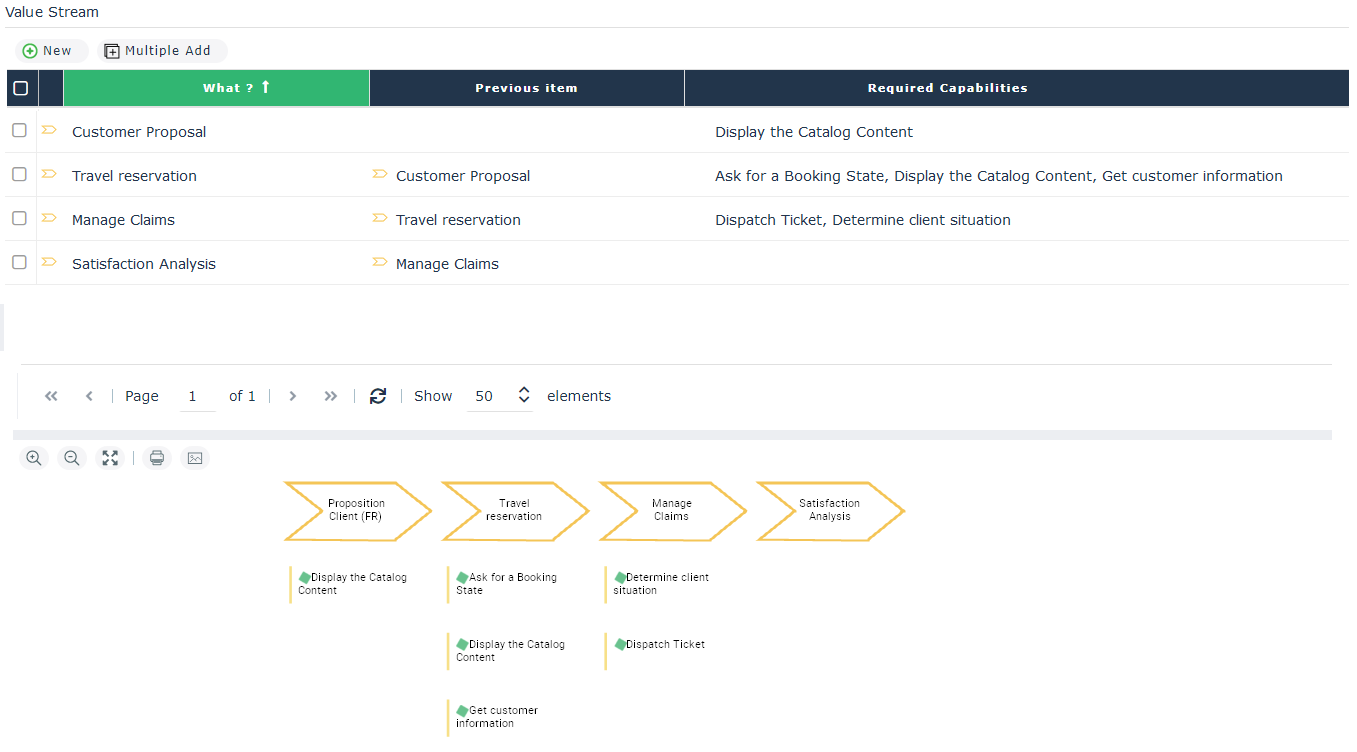
The Value Stream Capability Diagram
This diagram makes it easy to initiate a Operational Activity diagram by creating the Operational Activity steps and the links they have with the different Capabilities.