Big Picture: Access management
Product Access
Product or data accesses are governed by:
• the license file, which details the available products and their access type (RW: Read-Write or RO: Read Only)
 To access the license file, see Consulting your Licenses.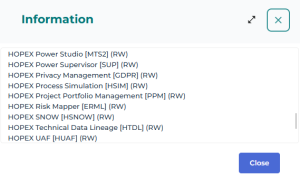
• the environment options for the UI
To access the environment options, see Modifying options at environment level.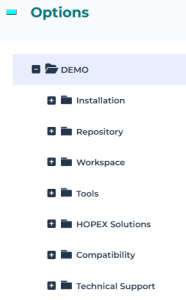
Access Restrictions
User accesses to products, UI, or objects can be restricted by:
• the profile used at connection
• the user
• the group used at connection
Profile level
The profile defines the HOPEX desktop (one or several) that the user can access.
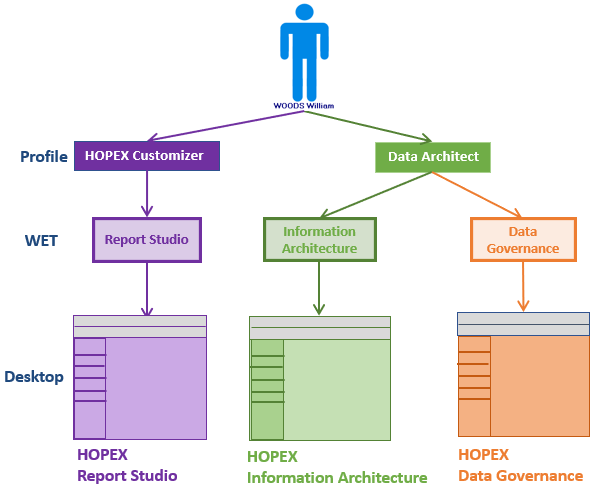
The profile restricts:
• specific product writing or reading access (via its Command Line)
• object UI access (via Permissions on Create, Reade, Modify, Delete, Search) that is sufficient to the profile
• general UI access (via availability) that is sufficient to the profile
• metamodel or feature access (via Options) that is sufficient to the profile
• (optional) dynamic data reading or writing access (via Data access rules related to the profile)
User level
The user properties restrict:
• writing or reading access to specific products (via the user login Command Line if any)
• metamodel or feature access (via the user options)
• static data writing access (via Writing access diagram): the person can modify the objects belonging to his/her writing access area
• (Optional) static data reading access (via Reading access diagram): the person has access to the objects belonging to his/her reading access area
Group Level (used at connection)
The group properties restrict:
• specific product writing or reading access (via the person group login Command Line, if any)
• static data writing access (via the Writing access diagram): the person can modify the objects belonging to the group writing access area
• (Optional) static data reading access (via the Reading access diagram): the person has access to the objects belonging to the group reading access area
Rules
Command line rule
The Command Line field is available at both profile and user levels.
If both the profile and the user have access to products restricted by the Command Line attribute, products accessible to the user are at the intersection of the values of the Command Line attribute of the user and profile.
Option rule
Options are governed by an inheritance mechanism Environment > Profile > User.
• the profile inherits the option values defined at environment level
• the user inherits the option values defined at connection profile level
An HOPEX administrator profile can modify or lock an option at environment level, or even at a specific user level.
See Modifying Options.In the Administration (Windows Front-End) application the HOPEX administrator profile can also lock an option at environment level.A HOPEX Customizer profile can modify an option at a specific profile level.
To modify the profile options, see Modifying options for a profile.A user can modify his/her own options (Main menu > Settings > Options), for example to modify his/her metamodel access or feature visibility.
Customization rule
Customizations performed at user level (e.g.: data language change) are of highest priority, followed in order of priority by those performed at profile and environment levels.