Setting a Current Library
A library is used to represent a work context.
 For a detailed description on the use of libraries, see Enterprises and libraries.This is useful in particular when exporting an object.
In your HOPEX desktop, when you set a current library, by default all the objects that you have created are contained in this library.
When a library is set, if needed, on creation of the object you can modify the library that contains it.
Defining a current library prevents the existence of isolated objects and facilitates exporting objects in a given context.
If the administrator has defined a default library for you (user level), this also defines your current library.
To set a current library:
1. In your HOPEX desktop, click Main Menu  .
.
.2. Select Set Current Library.
The library tree window appears.
3. Select a library or a sub-library.
The current library is highlighted and indicated by  .
.
.If you select a sub-library, the library concerned is expanded and the sub-library selected is represented by .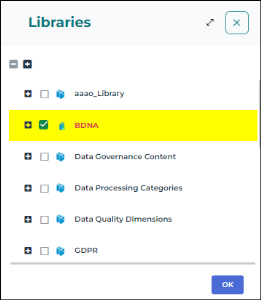
Consulting your Licenses
According to your licenses, you have access to certain products.
Each product defines the metamodel, the parameterization (technical data) and the features you have access to.
To consult your license list:
1. In your HOPEX desktop, click Main Menu .
.2. Select Settings > License information.
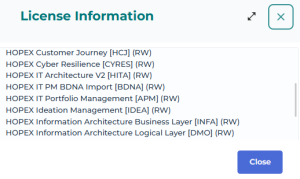
For information regarding a product (e.g.: associated profiles, available objects (MetaClasses), report templates, and diagram types), see the online documentation: Concepts > Products.