Performing Impact Assessment (DPIA)
About DPIAs
When to conduct a DPIA?
If the pre-assessment indicates that the risk is high, you (the DPO or the Privacy team) must conduct a DPIA.
 For more information on pre-assessment see Performing the Pre-Assessment.
When the processing is likely to result in a high risk to the rights and freedoms of the data subjects, a DPIA is mandatory.
What is a DPIA?
A DPIA is a detailed risk assessment.
The DPIA needs to display:
• the characteristics of the processing activity
• the risks which may have an impact on compliance.
For more information, see Creating and Assessing Risks for a DPIA.• the remediation actions ensuring the processing activity is under control
For more information, see Recommendations and Remediation Actions on DPIAs.Creating a DPIA
Starting a new DPIA
To start a DPIA:
1. In the property page of a processing activity, select the DPIA tab.
2. Click Start DPIA.
In the window that appears, the risk levels identified through your pre-assessment appear.
You may also want to open an existing DPIA and edit it. See Reusing a DPIA.
Reusing a DPIA
When a processing activity shares the same risks as another processing activity, you may want to re-use an existing DPIA.
To do so, you need to import a DPIA, which consists in importing the risks and recommendations associated. This way you can reuse what you did in another DPIA. You can edit it to make it more appropriate to the current processing activity.
To import a DPIA:
1. See Accessing Processing Activities.
2. In the processing activity page, select the DPIA tab.
3. Click Start DPIA.
4. In the DPIA creation page which appears, click Import DPIA.
5. Select an existing DPIA
The relevant DPIA must already exists in the DPIA history. The data entered in the selected DPIA has been imported. You can now modify them to suit your current DPIA.
Editing a DPIA
When a DPIA has already been created and it is not finalized yet, you can modify it through the Edit DPIA button.
When finalized, the Edit button is no longer available. You need to start another DPIA. For more information see Starting a new DPIA.Accessing the list of DPIAs
To access all DPIAs:
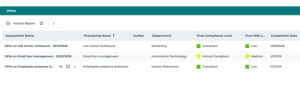
 In the navigation bar, select Registers > DPIAs.