4 Creating a desktop
You can create a desktop from scratch or from a model already created.
4.1 Creating a desktop from scratch
To create a desktop from scratch:
1. Connect to HOPEX with the HOPEX Customizer profile.
2. Display the MetaStudio Navigation window.
3. Expand Desktops > Other Desktops folders.
4. Right-click the required folder, then select New > Desktop.
The Creation of Desktop dialog box appears.
5. Enter the Name of the desktop.
Example: "Desktop MA A".
6. Click Next.
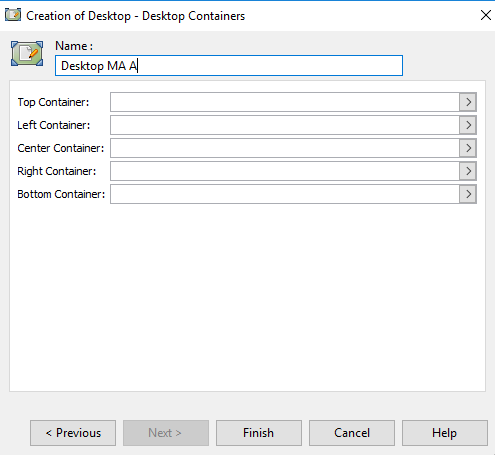
7. Depending on the desktop configuration you want to create (see Desktop configuration) you must specify the required fields:
- Center Container (Mandatory)
- Top Container
- Left Container
- Right Container
- Bottom Container
To specify these fields, see the corresponding procedures, for example see:
8. Click Finish.
4.2 Creating a desktop from a model
You can create your desktop starting from a model. This method allows you to start from a structure already set up and simplifies your work. To do this you must duplicate an existing model.
To create a desktop starting from a model:
1. Connect to HOPEX with the HOPEX Customizer profile.
2. Display the MetaStudio Navigation window.
3. Expand the Desktop folder that contains the desktop you want to use as a model.
4. Right-click the desktop name (example: Report Desktop V6) and select Manage > Duplicate.
The Duplicate an Object (Desktop) dialog box appears.
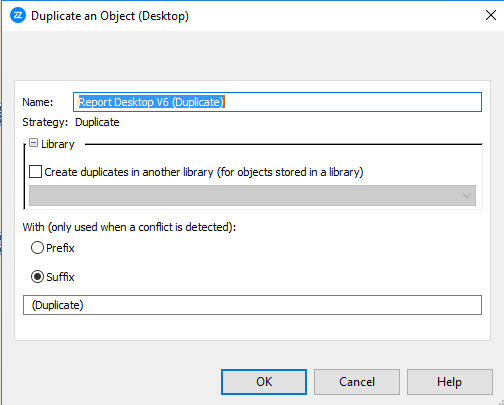
5. By default, the name of the duplicated desktop is: <Name of desktop> (Duplicate). If you want to change the format of the duplicated desktop name to: Duplication of <Name of desktop>, select Prefix.
Warning: If you then modify the name of the desktop in the Name field, the trace of duplication is no longer visible.
6. Click OK.
The duplicated desktop is displayed in the application of the model desktop.
7. Select the duplicated desktop (example: Report Desktop V6 (Duplicate)) and drag-and-drop it to your folder.
8. (Optional) You can rename the desktop. To do this, select the name of the desktop and press key F2, or from the desktop pages select the Characteristics tab.
9. You can rename, move, modify and/or delete Containers from your desktop. This does not modify the model desktop.
Warning: If you modify the name of a tool or a command, the name of this tool or command is also modified in the model desktop.