HOPEX Desktops
HOPEX desktops include:
• a toolbar (common to all HOPEX desktops) at the top-right, which includes the search
 See Search.
• a navigation bar on the left
• a breadcrumb at the top-left
• an Edit area
See also Interface Elements.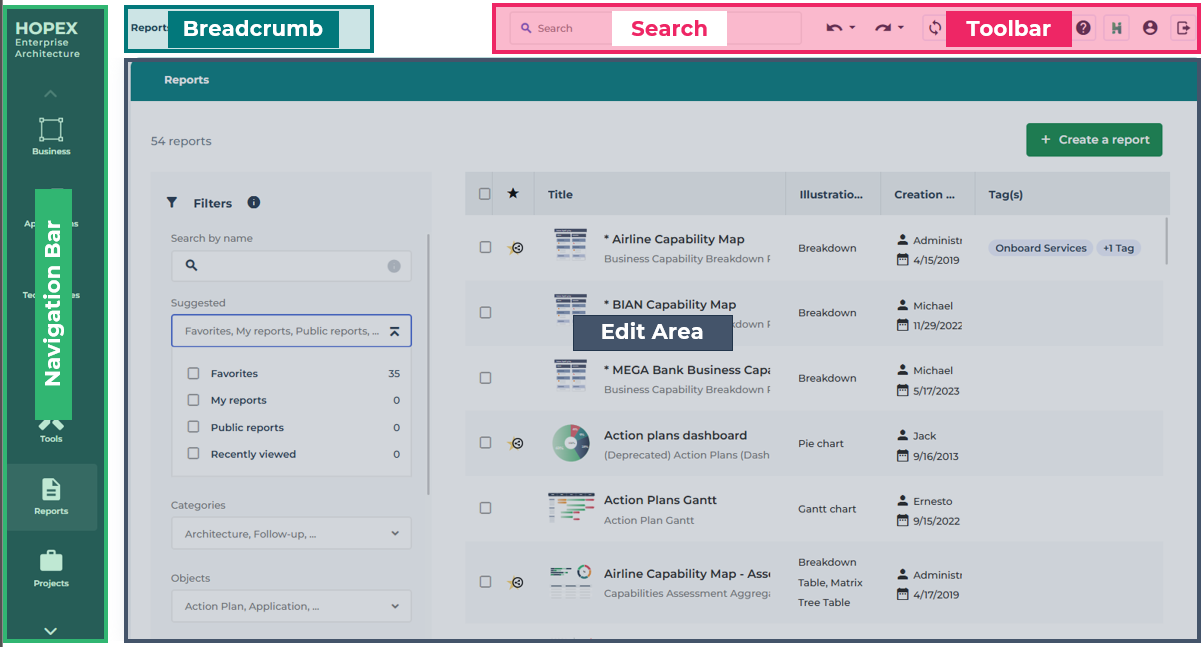
Toolbar
The toolbar is common to all HOPEX desktops and remains available in all pages of the desktops.

Icon | Description |
|---|---|
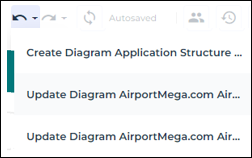
 | Undo/Redo Cancels or redoes the last actions carried out |
 | Refresh Instantly updates all windows open in your desktop when you modify an object attribute name or value (trees, lists, property pages, diagrams) With Homepage displayed, updates all indicators of My perimeters |
 | Collaboration Access collaboration features easily |
 | Notifications Access your notifications (the red dot indicates that you have unread notifications) See Notifications. |
 | Favorites Access your favorites and shared favorites See Favorites. |
 | Help Access (user and technical) online documentation about HOPEX and its research tool |
 | Hexa Access HOPEX IA assistant and ask Hexa your questions See Hexa. |
 | Main menu Access your login information and main actions See Main menu. |
Navigation bar
The navigation bar sits on the left of your HOPEX desktop. It remains available on all pages of your HOPEX desktop.
The navigation bar contains navigation menus that vary according to the Solution you use. These navigation menus provide access to a browse area.
See Browse area.The navigation bar contains:
• at the top, the Name of the Solution used. It enables to return to the home page.
See Homepage.• the navigation menus specific to the Solution used
• if applicable, a More  drop-down menu to access additional menus
drop-down menu to access additional menusSee Navigation menus.E.g.: the navigation bar of the HOPEX Enterprise Architecture desktop.

Breadcrumb

A breadcrumb is available on all HOPEX desktops. It keeps the last pages that you viewed so you can reopen them easily if needed. It resets whenever you change navigation menu. Each tab of your edit area has its own breadcrumb.
With the breadcrumb trail you can go back to:
• the last page you were on
• another page in the breadcrumb: click the name of the page.
You can also click Back several times.• an older page from the same navigation menu, in the breadcrumb: click ... then select the page you want to access.
Edit Area
The HOPEX edit area is your main working area. The edit area is used to perform business and technical operations proposed by the selected Solution.
In the edit area, you can open as many different tabs as necessary. To ease your navigation and perform tasks in a simultaneous and efficient manner, each tab has its own breadcrumb.
 As soon as you click another navigation menu, all of the tabs opened via the previous navigation menu are closed.
Within these tabs, you may for example edit a diagram, view a report or modify an object properties.
 From the browse area, drag & drop objects from a tree or a list into a diagram.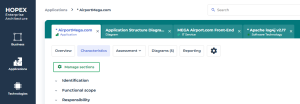
When connecting to HOPEX, the edit area features your homepage.
See Homepage.