Customizing a Table or Matrix Display
You can customize the display of a table or a matrix of your report at:
• chapter table content level
• chapter style level
 See: Modifying the chart font,
• chapter series style level
• chapter style level, for exporting
 The values modified locally override the global values defined for all reports.
You can reset the default values at:
• a parameter level
• an entire chapter level
You can add descriptions at:
• report level
• report chapter level
Modifying the content of a table or matrix
You may, for example:
• Customize the table header: add a background color, display the text vertically
• customize the cells: define the content (icon and/or text), add a background color
• reverse the display of the series
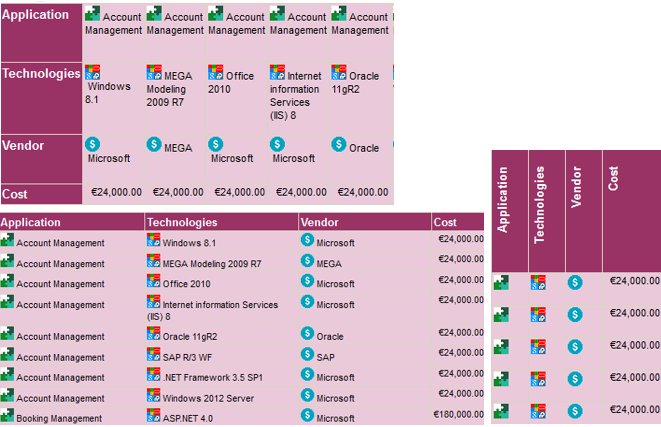
• hide the column titles
• add a title to the table
• add a total to the bottom of each column (sum, average, maximum, minimum)
To modify the content of a report chapter table:
1. Edit the report (click More  > Edit Report
  ).
).
> Edit Report ).2. In the report page, click Edit Style Parameter Values  and select All Series.
and select All Series.3. In the Content section, modify the relevant parameters.
To reset the values, click Reset Parameter Values  . Caution: the style parameter values in the report chapter are also reset.
4. Click Apply.
Your modifications are immediately taken into account in the report.
