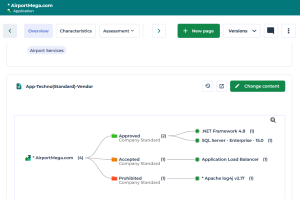
Adding an Instant Report Dendrogram to the Property Pages
 Available to the functional administrator profile of the Solution.
When a dendrogram-type instant report is performed on a single source object, you can directly add the report to:
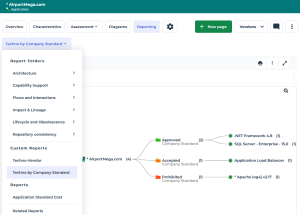
• the Reporting property page of the object
• the Overview property page of the object
Adding a dendrogram report to the Reporting page of an object
Prerequisite: you are logged in as the functional administrator of the Solution.
To add a dendrogram report to the Reporting property page of an object:
1. Create the dendrogram-type instant report.
See Creating a Dendrogram Instant Report (list) with a single source object.2. In the report toolbar, click More  > Add to object Reporting page
  .
.
> Add to object Reporting page .3. Enter the Name of the report.
4. Click OK.
The report is available in the Reporting page of the object, Custom reports section.
Adding a dendrogram report to the Overview page of an object
Prerequisite: you are logged in as the functional administrator of the Solution.
To add a dendrogram report to the Overview property page of an object:
1. Create the dendrogram-type instant report.
See Creating a Dendrogram Instant Report (list) with a single source object.2. In the report toolbar, click More > Add to object Overview page .
> Add to object Overview page .3. Enter the Name of the report.
4. Click OK.
The report replace the report or diagram already defined in the Overview page of the object.