Generating a Glossary
HOPEX Data Governance and HOPEX Data Architecture provide a ready-to-use glossary report to automatically build the business glossary with terms derived from a set of Business dictionaries or, where appropriate, libraries. For each term, the glossary displays a list of associated definitions with their text, synonyms and components list.
Launching a Glossary Report
To launch a glossary report:
1. Click the Reports navigation menu.
2. In the edit area, click the + Create a report button.
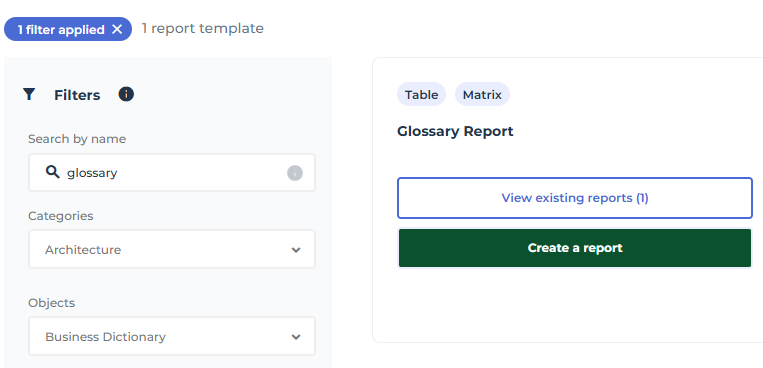
3. Search for the “Glossary Report” report template.
4. Move the mouse over the "Glossary report" template and click Create a report.
The report creation wizard opens.
5. Click Connect.
6. Select the source business dictionary.
 You can select more than one.
7. Click Preview then Continue.
8. Name the report and validate.
The created report opens.
For further details, see Glossary Report.
Using the Glossary in a Multilingual Context
For more details, see HOPEX in a Multilingual Context.