Managing your organization with HOPEX Digital Transformation Desktop
HOPEX Business Process Analysis provides facilities for:
• Description of the detailed organization of operations during execution of organizational processes, and the participation of each of the enterprise org-units in these;
• Description of product or service offerings proposed by enterprise;
• Description of enterprise value streams;
• Description of the enterprise organizational chart;
• Identification of the risks linked to the enterprise processes;
• Detailing of information system requirements involved in these application business processes. It is then possible to draw a map of the enterprise organization and information system (in conjunction with HOPEX IT Architecture).
Accessing the organization elements with HOPEX Digital Transformation Desktop
To access the list of main elements defining your organization:
 In the Processes navigation pane, click Hierarchy.
The tree of main elements describing your organization is displayed.
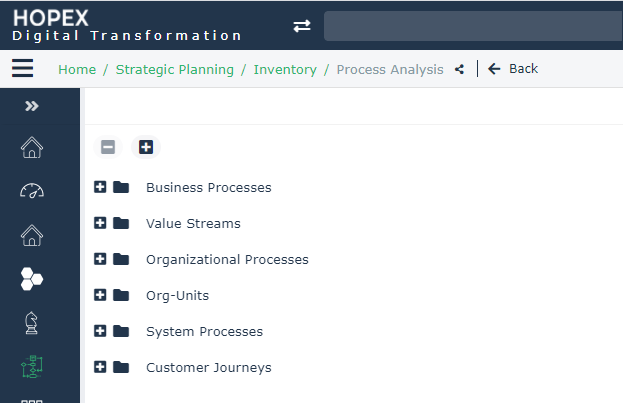
For more information on these elements, see the HOPEX Business Process Analysis guide.
Accessing the HOPEX Business Process Analysis elements
To access objects dedicated to your enterprise organization modeling:
In the Processes navigation pane, click Inventory.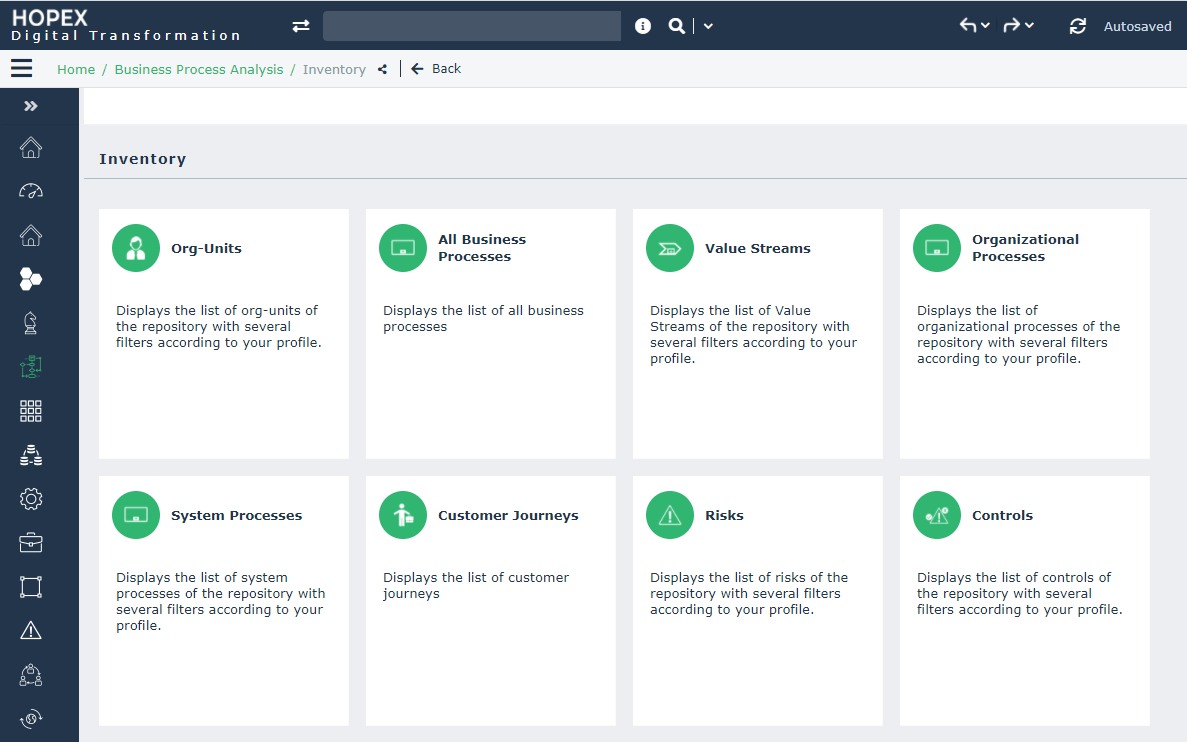
A list of tiles is proposed to help you to manage your organization elements:
• Org-Units;
 An org-unit represents a person or a group of persons that intervenes in the enterprise business processes or information system. An org-unit can be internal or external to the enterprise. An internal org-unit is an organizational element of enterprise structure such as a management, department, or job function. It is defined at a level depending on the degree of detail to be provided on the organization (see org-unit type). Example: financial management, sales management, marketing department, account manager. An external org-unit is an external entity that exchanges flows with the enterprise. Example: customer, supplier, government office.
• Business processes;
A business process represents a system that offers products or services to an internal or external client of the company or organization. At the higher levels, a business process represents a structure and a categorization of the business. It can be broken down into other processes. The link with organizational processes will describe the real implementation of the business process in the organization. A business process can also be detailed by a functional view. HOPEX Business Process Analysis.
• Value streams;
A value stream is an end-to-end collection of Value Stages that creates an outcome for a customer, who may be the ultimate customer or an internal end-user of the value stream..• Organizational processes;
An organizational process is a set of operations performed by org-units within a company or organization, to produce a result. It is depicted as a sequence of operations, controlled by events and conditions..• System process;
A system process is the executable representation of a process. the events of the workflow, the tasks to be carried out during the processing, the algorithmic elements used to specify the way in which the tasks follow each other, the information flows exchanged with the participants..See System Processes in the HOPEX Business Process Analysis guide.• customer journey;
A customer journey is used to describe and organize all interactions between the enterprise and a persona for a given result.• Risks and controls;
A risk is a hazard of greater or lesser probability to which an organization is exposed.A control is a set of rules and means enabling the assurance that a legal, regulatory, internal or strategic requirement is respected.