Managing Entities
To define the list of entities of your organization, HOPEX allows you to create the enterprise organizational chart.

Accessing organization entities
To access the different organization entities:
 In the HOPEX IRM desktop, click Environment > Organization > Entities.
The list of entities making up the organization is displayed.
 The list of entities owned by an entity is accessible in the properties of the entity, in the Sub-Entities section.
Creating an entity
To create an entity:
1. See Accessing organization entities.
2. Click New.
Creating a sub- entity
To create a sub-entity:
1. See Creating an entity.
2. Drop it below the parent entity in the tree.
Defining entity general characteristics
In the entity property page, you can specify:
• its Level within the organization:
• Business Unit
• Sales
• Service
• its Status:
• Enabled
• Disabled
• Its Type:
• Vendor
• Institution
• Company
• Public Department
• Structure
• Job Title
• Generic
• Responsible
• whether the entity is “Internal” or “External”
• its Code
The Parent Entity field is automatically calculated according to the position of the entity in the tree.Specifying responsibilities within an entity
You can specify responsible users within an entity.
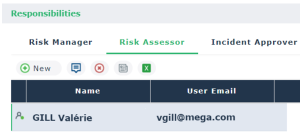
You can specify different roles:
• Risk Manager: person in charge of managing risks that have an impact on the entity.
• Risk Assessor: person in charge of completing questionnaires about risks related to the entity.
You can define several risk assessors on the same entity.• Control Assessor: person in charge of completing questionnaires about controls related to the entity.
You can define several controls assessors on the same entity.• Incident Approver: person in charge of approving incidents that have an impact on the entity.
• Incident Declarant: The incident declarant is in charge of creating incidents within his/her scope.
For more details, see Incident Management Process.The incident declarant specified here will not need to specify an entity when creating an incident.To specify a responsibility, for example a Risk assessor:
1. In the properties page of the entity concerned, expand the Responsibilities section.
2. In the Risk Assessor tab, click New to define a new responsibility.
3. Select a person and click OK.
Scoping an entity
An entity can be connected to different object types.
A page corresponding to these object types is available in the entity properties:
• Risks, whose management is assigned to the entity.
For more details, see Managing Risks.• Controls, whose management is assigned to the entity.
For more details, see Managing Controls.• Incidents
• Action plans
A page corresponding to the following object types is available in the Characteristics page of the entity properties:
• Entities: you can specify the entity responsible for a service or management, as well as functional dependency between two entities.
• Processes (business and organizational processes) in which the entity takes part.
For more details, see Managing Processes.• Objectives assigned to the entity.
For more details, see Strategic Environment.• Business Lines for which the entity intervenes.
For more details, see Managing Business Lines.