Managing the Object Follow-up
You can receive a notification and/or an email when an object is modified. To do this, you must follow the object.
 To view the activity on the objects that you are following:Accessing the activity on the objects that you are following see
You can follow:
• all objects to which you have access in HOPEX
See Following an object.• all objects for which you participate to a review note
Following an object
You can stop following an object at any time.When modifications are performed on an object that you follow:
• you are notified by email,
• in the main toolbar of your HOPEX desktop, a red dot indicates that you have unread notifications  .
.
.When a user dispatches modifications on the object, you receive a notification according to your notification configuration.
By default, notifications are sent once a day (at midnight), to modify this setting see Configuring management of your alerts.To follow-up on an object:
1. In your HOPEX desktop, access the object you want to follow.
2. Right-click the object and select Follow  .
.
.The object is added to the list of objects you are following.
Accessing the list of objects you are following
To access the list of objects you are following:
1. From your HOPEX desktop, click the navigation menu  and select Collaboration.
and select Collaboration.The collaboration features appear in the form of tiles.
2. Click the Followed objects tile.
The object you are following are listed by type.
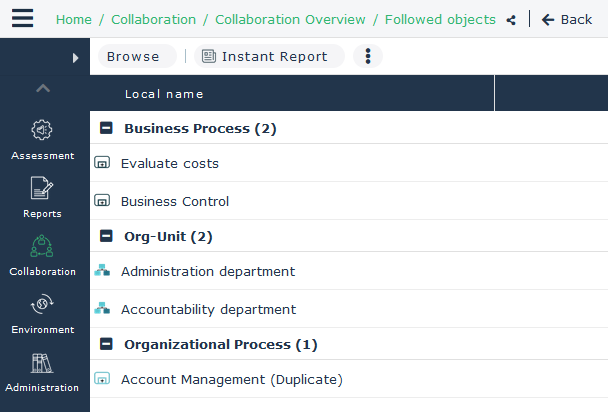
You can perform actions on these objects.