Using the Advanced Search with a Registered Query
You can perform a search based on registered queries linked to an object, and run the query. Registered Queries mode facilitates access to queries by target object type and update.
 To make a query entered in ERQL mode available in the list of registered queries, see Saving an ERQL query.
To perform an advanced search from a registered query:
1. Access advanced search.
The advanced search tool appears.
2. In the Select an object type field, use the drop-down menu to select the object type to which your search relates.
3. Click the Registered Queries pane.
The list of registered queries relating to the selected object appears.
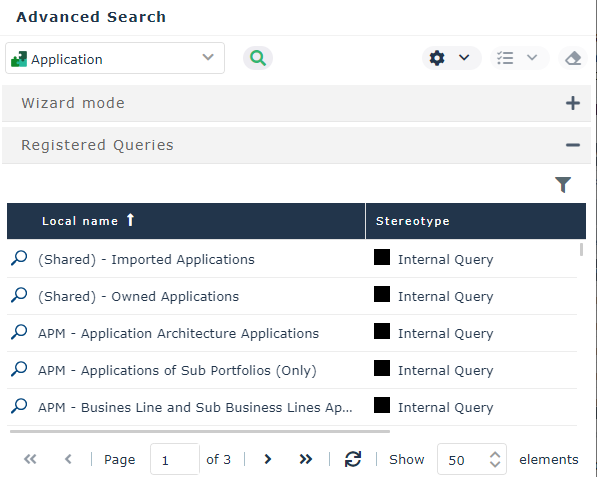
4. Select the query you are interested in.
The query code selected appears under the pages that list the queries.5. Click Find  to run the query.
to run the query.6. (If necessary) enter the required parameters.
The result list is displayed.
You can export the list in Excel formatYou can launch an instant report from the list, see "Launching an instant report from a list", page 400.To return to your search, in the breadcrumb trail, click Advanced Search.To delete all of the search criteria, click Remove all query criteria  .
.