Viewing User Process Error Trace Files
Trace files of errors in user processes contain information on operations executed and possible anomalies.
If there is a problem with a repository, this file will help the MEGA Research Center to analyze it.
Each trace file has the following characteristics:
• format: *.txt
• name: megaerrYYYYmmDD
where YYYYmmDD represent the year, month and day when the file was generated
Example: file Megaerr20110204.txt was generated on 04 February 2014).
• information on errors:
• date and time of the error
• action that produced the error
• associated error message
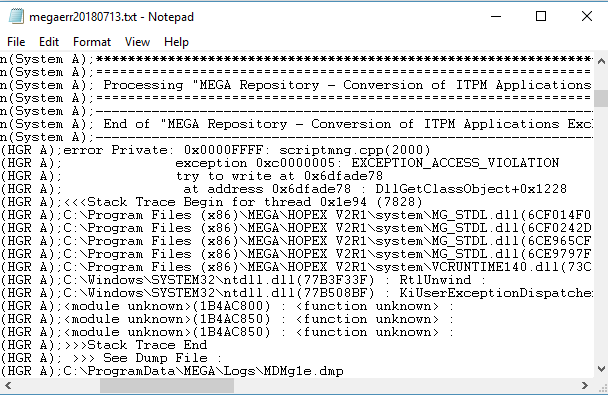
You can open the trace file from:
• HOPEX Administration
• HOPEX Server Supervisor
• HOPEX
Opening the trace file from HOPEX Administration
To open the trace file from HOPEX Administration:
1. Connect to HOPEX Administration.
2. In the navigation tree, right-click Workstation and select Trace File > Open.
The file is opened in the main pane of the window.
Opening the trace file from the HOPEX Server Supervisor tool
To open the trace file from the HOPEX Server Supervisor tool:
1. (Prerequisite) The HOPEX Server Supervisor tool is started, see Starting HOPEX Server Supervisor.
2. In your workstation system tray, right-click HOPEX Server Supervisor  and select Mega Logs > Open Daily Logs.
and select Mega Logs > Open Daily Logs.Opening the trace file from HOPEX
To open the trace file from HOPEX:
1. Connect to HOPEX.
 See Connecting to HOPEX.
2. In the HOPEX menu bar, select Help > About HOPEX.
The About HOPEX dialog box appears.
3. In the dialog box that opens, click System Information.
4. In the System Information dialog box, select Error Log > Edit.