Desktops of HOPEX IT Business Management
The menus and commands available in HOPEX IT Business Management depend on the product licenses that you have and on the profile with which you are connected.
 For more details on using the Web platform for HOPEX solutions, see the HOPEX Common Features guide.
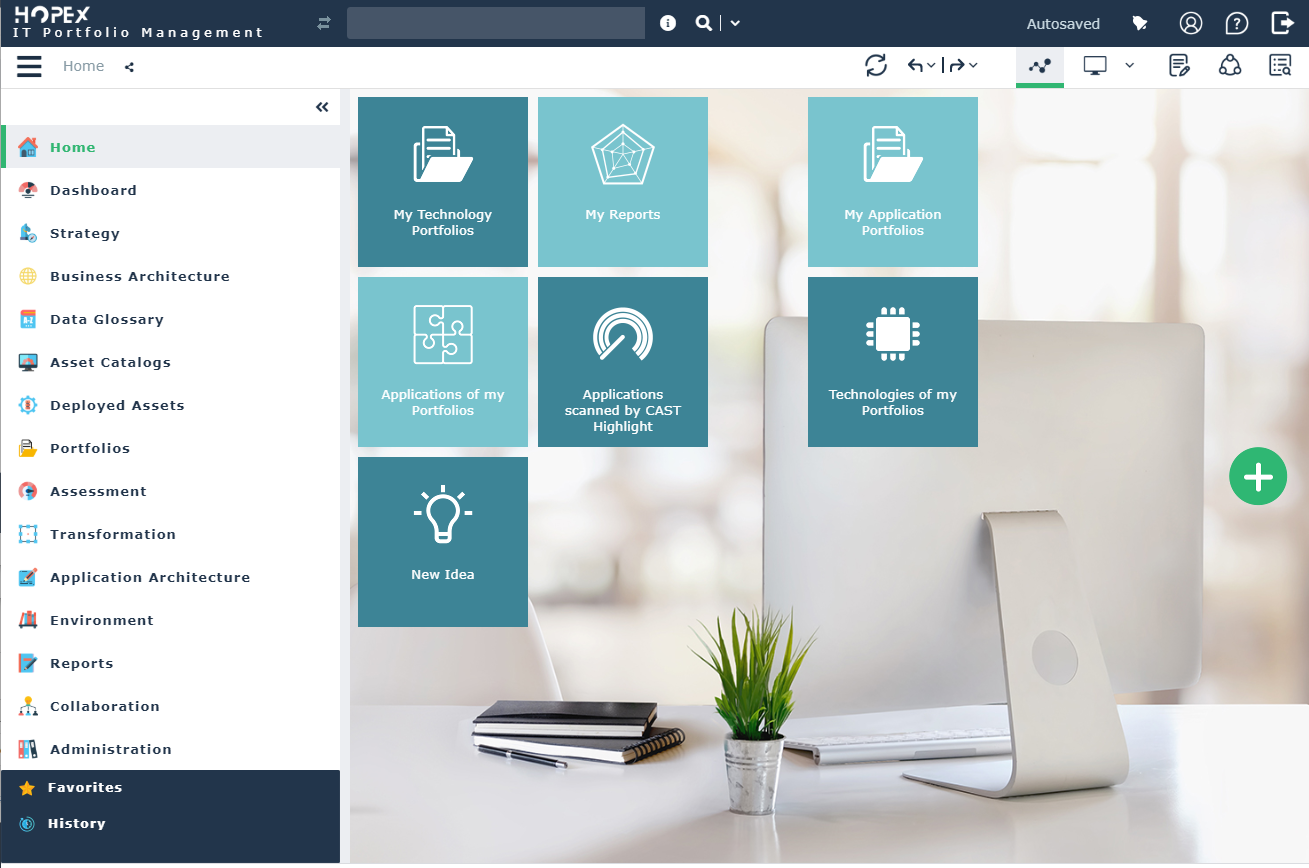
Presentation of space common to all profiles
All users, with the exception of users connected with the Contributor and Viewer profiles, have a HOPEX IT Business Management desktop and access to the following panes:
• Home: presents the main tiles useful for the user.
• Dashboards: displays the list of indicators required to steer objects such as processes, applications or org-units.
• Reports, enabling access to the group of reports available for each solution.
For more details on the use of these reports, see "Generating Reports”.• Collaboration, which enables access to all collaborative tools provided by HOPEX.
For more details on the use of collaborative tools, see Accessing Collaboration in HOPEX.HOPEX IT Business Management Home space proposes a add tile button .
.
.The panes provide access to the following menus:
• History, which contains all the objects you access or modify.
For more details on the use of history, see Using the History.• Favorites, to access to important objects and to usual actions.
For more details on the use of favorites, see Managing Favorites.Presentation of the ITPM Functional Administrator space
In addition to the panes offered in standard mode to all HOPEX IT Business Management desktop users, users connected with the ITPM Functional Administrator profile have access to the panes described below:
The Environment pane
The Environment pane provides access to the following menus.
• Organization, to access the main objects processed with the HOPEX IT Architecture solution.
• Standard Navigation, to access the management features for libraries and Environments.
• EA Projects, to access the management features for projects.
For more details on managing ideas and projects, see Enterprise Architecture (EA) projects in HOPEX.The Portfolio pane
The Portfolio pane provides access to the following menus.
.• Portfolios, to access the application portfolio management functionalities offered with the HOPEX IT Portfolio Management product.
For more information, see HOPEX IT Portfolio Management.• IT Architecture Projects, to manage architecture projects.
For more information on managing projects, see Enterprise Architecture (EA) projects in HOPEX.• Corrective Action Plans, to describe and manage the action plans linked to the transformation of processes.
• Controls & Risks, for accessing the risk management features offered with the HOPEX Risk Mapper product.
For more information, see HOPEX Risk Mapper.The Catalogs pane
The Catalogs pane provides access to the following menus:
• Business Service Catalogs to describe the user services offered by the information system.
• Information Service Catalogs to describe the user services offered by the information system.
• Technical Service Catalogs to describe the services offered by the technical elements of the information system.
• Hardware Service Catalogs to describe the services offered by the hardware elements of the information system.
• Reports to provide access to all the reports dedicated to the service catalogs.
For more details on service catalogs, see ...The Campaign Management pane
The Campaign Management pane provides access to the creation and management functionalities.
The Collaboration pane
The Collaboration pane makes available different means of communication in your HOPEX IT Architecture desktop.
For more information on collaboration tool, see Accessing Collaboration in HOPEX.The Administration pane
The Administration pane provides access to the user management features. The rights of different users on objects of imported libraries depend on their assigned profiles.
For more details on managing users, see Managing Users.Presentation of the IT Business Manager desktop
In addition to the panes offered in standard mode to all HOPEX IT Business Management desktop users, the users connected with the IT Business Manager profile have access to the following panes:
The Strategy pane
The Strategy pane provides access to the following menus.
• Hierarchy View to visualize the hierarchical decomposition of enterprises under study,
• Enterprise to view all enterprises under study,
• Value Stream, to access value streams of the company,
• Business Capabilities, to describe the business capabilities and business capability maps of the company.
The Business Architecture pane
The Business Architecture pane provides access to the following menus:
• Business Architecture Environments to display the Environments tree view and their breakdown into components by stage as well as several reports;
• Business functions, to describe the business functions and business function areas in the company,
• Business Partners, to describe the business partners and business partner groups in the company,
Switching Between Profiles with HOPEX IT Business Management
To switch between profiles with the HOPEX solutions, see Customizing Your Personal Parameters.