Removed/Reviewed Features
Pictures in drop-down questions
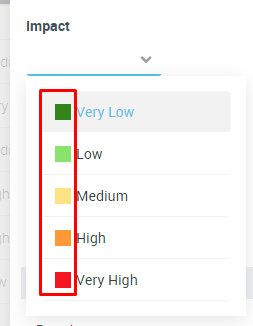
Drop down questions cannot display colored icons next to the drop-down value.
This was the case for questions like “Risk Impact” which were displaying a colored squared icon, based on the answer.
This was the case for questions like “Risk Impact” which were displaying a colored squared icon, based on the answer.
Create HOPEX Object as answer to question
In HOPEX V4CP2 it is not possible to create HOPEX objects when answering to questions of type “Object”. The only option is to select an existing one.
Questionnaires Layout
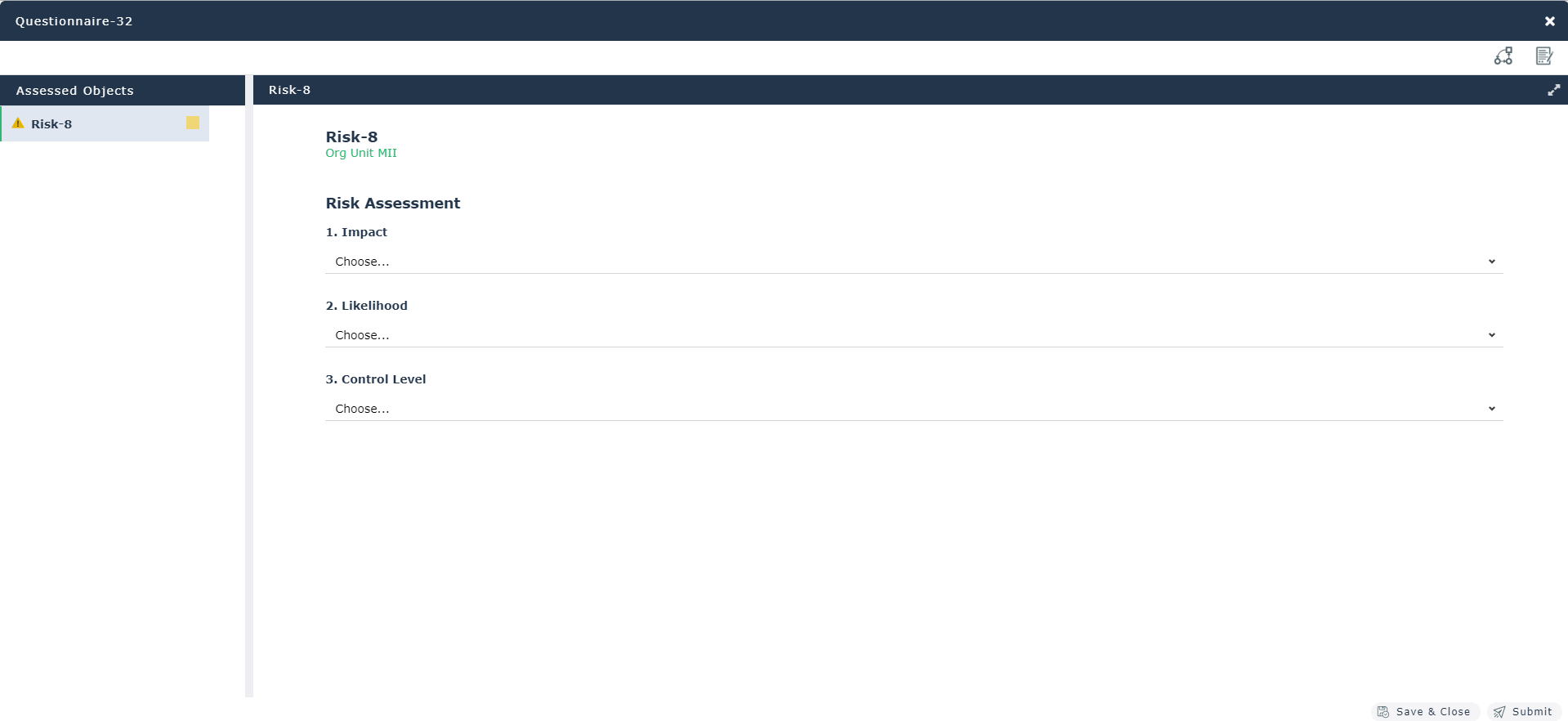
With the new Questionnaire Builder a lot of effort was put into designing a new layout proposed to questionnaire's respondents. This new layout replaces the old ones. Therefore, tabular entry is no longer provided as an option to answer questionnaires.
Questionnaire Template Presentation
It is no longer possible to define a Questionnaire Template Presentation on the Questionnaire Template.
The only option which is still available is accessible via the properties pane of the questionnaire, in the new builder. It is the property:
• Creation Mode – To define how the questionnaires should be created in the context of a campaign (one per person, one per assessed object, one per context)
On the other hand, the following options are no longer available:
• Presentation Mode
• Matrix number per page
• Introduction Page Displaying
• Display an ending page
• Checks Page Displaying
• Question Comment Display
• Display a page to add documents
• Each Question in a group Displaying
• Context in a group
• Context group folded
• Scoring Displaying
• Historic Displaying
• Trigger Transition At Close
• Display explanatory documents
• Display explanatory external references
Presentation Tools
These objects are no longer supported. Nevertheless, for questionnaires on processes, the new layout automatically allows to access to the process diagram, when this exists.
Inherited Questions
HOPEX allowed to define questions at the meta-class level, so that they would be automatically fetched on questionnaires assessing the meta-class instances. A practical example of this mechanism is the “Inherited Control Steps”: questions defined at the Control meta-class level, that would be automatically fetched by questionnaires assessing controls.
This mechanism is no longer supported, and it has been replaced by another one.
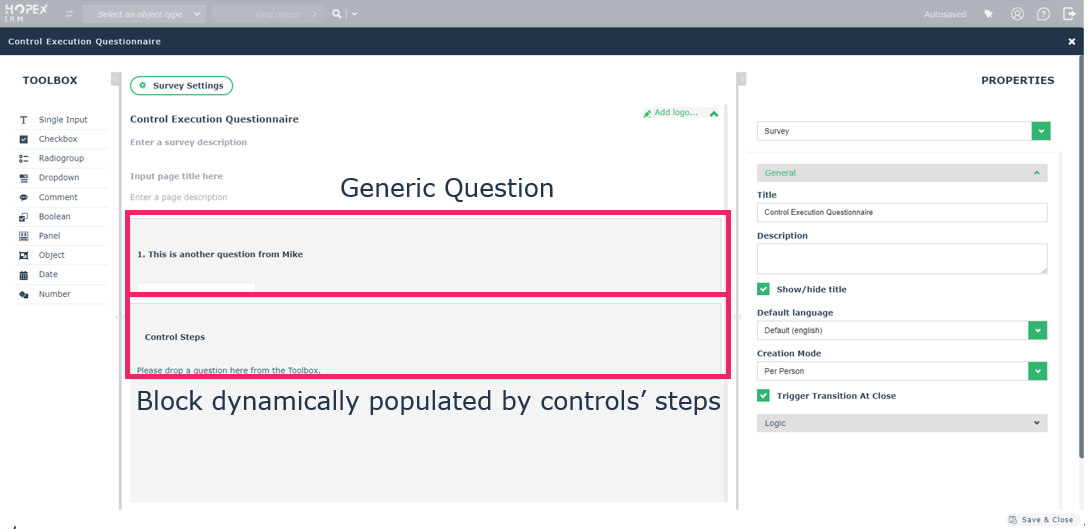
Clients using inherited questions must re-create them in the questionnaire template used by their campaign (e.g. the “Control Execution Questionnaire” questionnaire template for the assessment template “Control Execution”).
The following screenshot shows an example of the standard questionnaire template “Control Execution Questionnaire” used by the Control Execution assessment campaigns, where a generic question has been created, followed by a block which is dynamically populated by the controls' steps.
Aggregation of Inherited Controls Steps
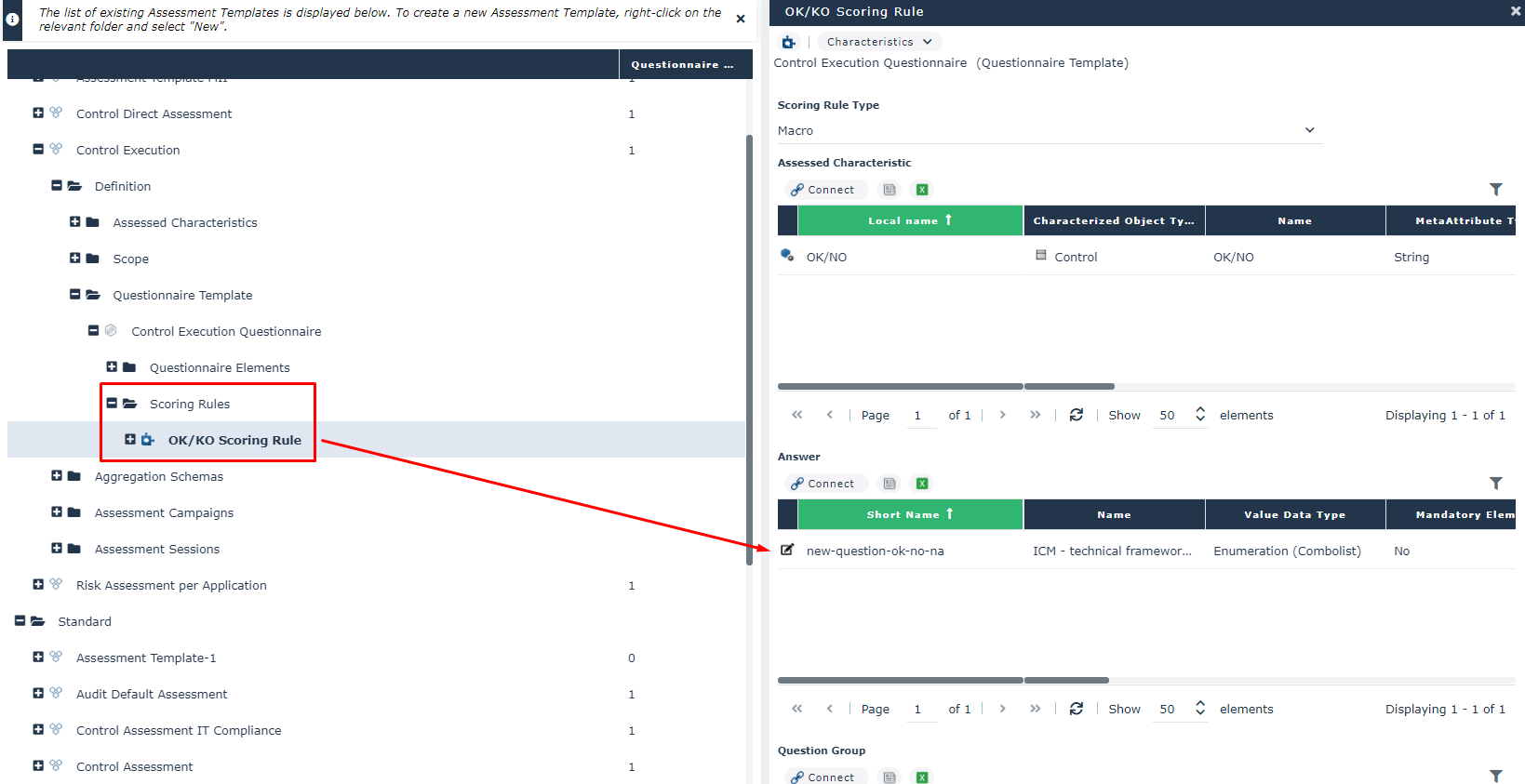
When creating generic questions, you might want to include the question's answers in an aggregation schema. To do so, you must make sure to link the question's answer to the existing scoring rule.
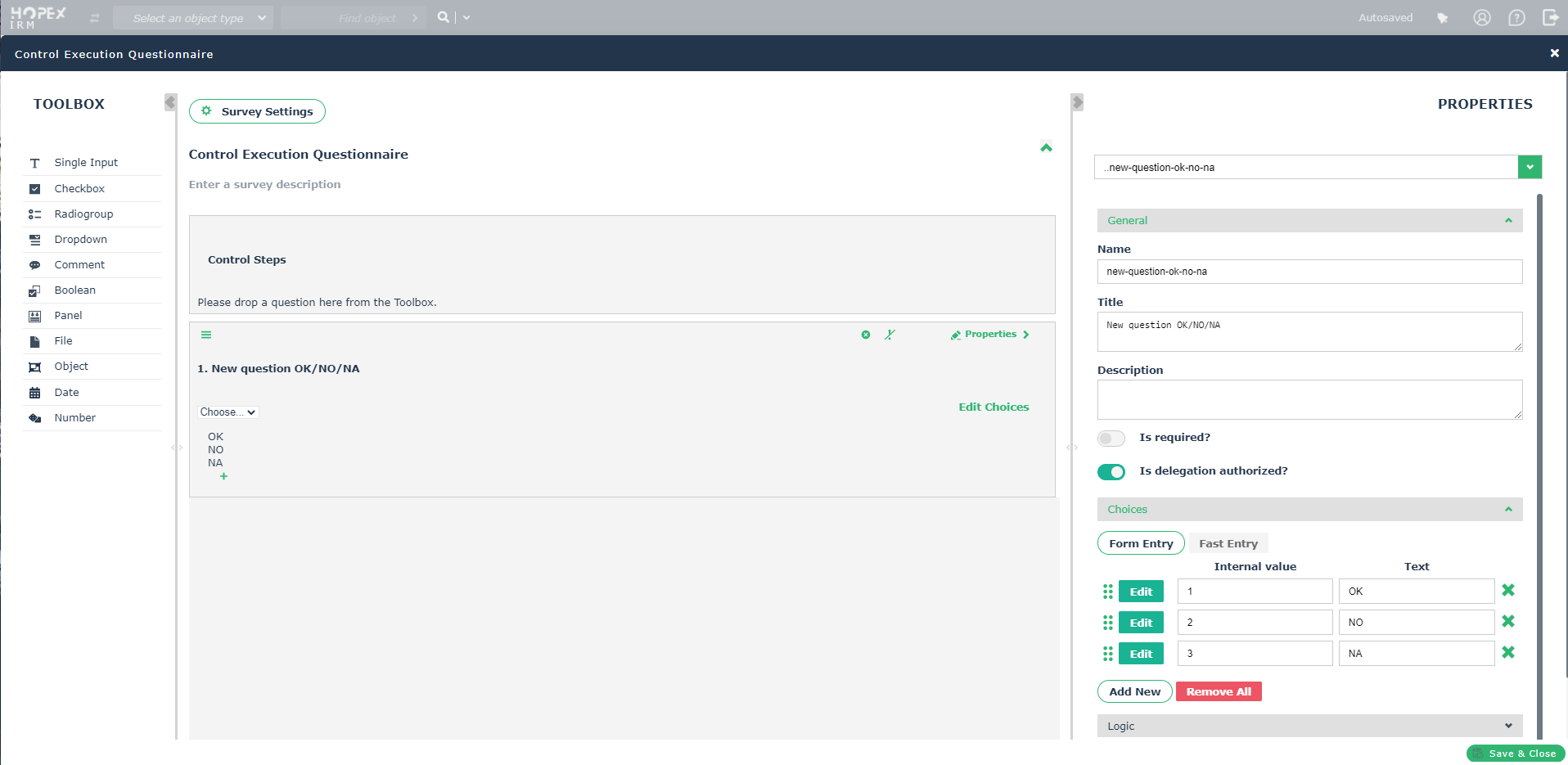
Following is an example where a new question of type dropdown, with possible answers “OK”, “NO” and “NA”, called “New question OK/NO/NA” is defined in the questionnaire template used by control execution campaigns.
The question will be asked with respect to all controls in the scope of the campaign. To make sure it will be included in the aggregation schema that is launched once the campaign's session is closed, the user must link its answer to the existing scoring rule “OK/KO Scoring Rule”.
Inherited Test Steps
It is no longer possible to define inherited test steps to be used within Test Sheets.
Meta Tests
In older versions, HOPEX allowed to define on every question meta tests of two types:
1. Those defining if a question should be visible/mandatory or not based on the answer to previous question(s)
2. Those whose logic depend on actual HOPEX data
The former type of meta-tests will have to be rewritten in the new Questionnaire Builder.
The latter are still supported, and can be defined, accessing to the question property page from HOPEX.
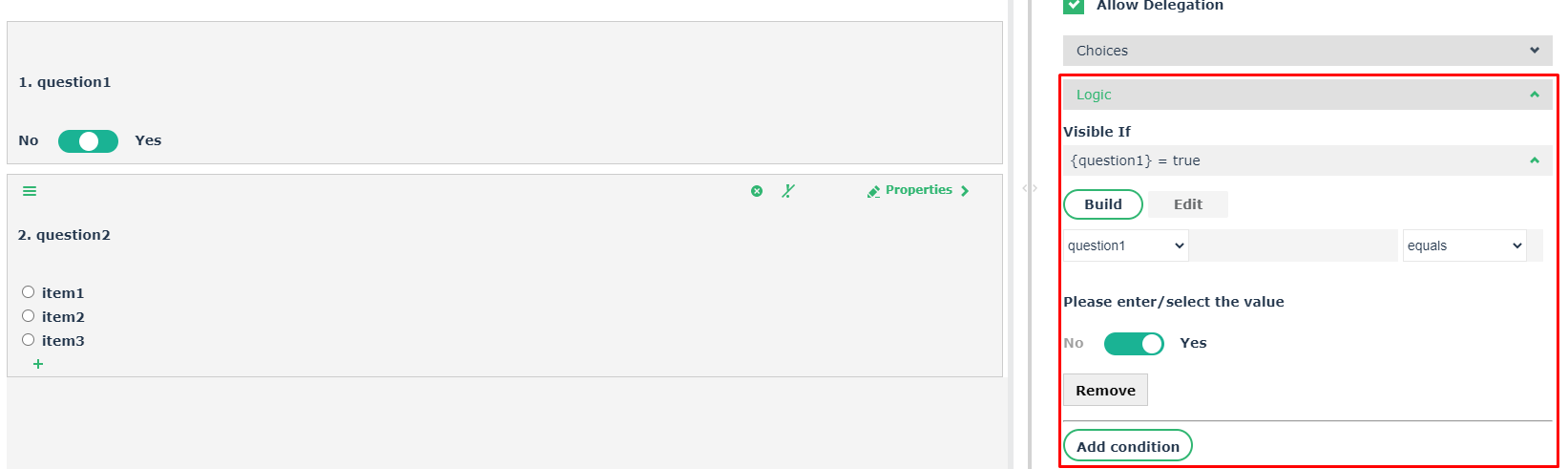
Write Logical Expressions in the new Builder
To write logical expressions affecting whether a question is visible or mandatory based on pre-defined conditions, the user must use the dedicated Logic section, available in the new Questionnaire Builder, accessing to the question property pane.
Delegation
Delegation must now be defined at the question level. By default, every question can be delegated, otherwise the option must be disabled in the question properties pane.
This means that it is no longer possible to define delegation either at the questionnaire template level or question group level.
Questions Group Populated by Query
HOPEX allowed to define question groups which were dynamically populated by a query. This mechanism is no longer available.
Questions with Link Answered Objects
HOPEX allowed to define questions whose answer would be automatically linked to the assessed object. This mechanism was used, for instance, when answering a question via a Business Document which was then linked to the assessed object.
This functionality is no longer available.
Computed Questions
HOPEX allowed to create questions whose answer was automatically computed.
This functionality is no longer available.