Questionnaire Templates Compatibility
Existing questionnaire templates can be of two kinds:
• Compatible – These questionnaire templates are fully compatible with the new questionnaire builder.
• Not Compatible – These questionnaire templates have some features which are no longer supported by the new questionnaire builder and require manual intervention.
The compatibility of a questionnaire is saved into a dedicated attribute, called “Questionnaire Template Type”, visible on the questionnaire template property page.
Questionnaire templates which are compatible with the new builder have a type set to “Standard”. Those which are not compatible have a type set to “Extended”.
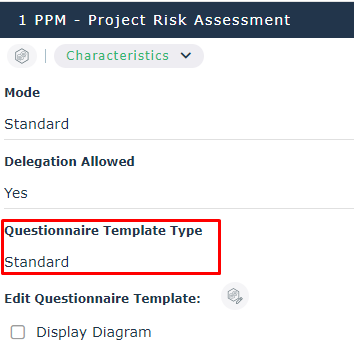
Compatibility Analysis Report
To have a comprehensive understanding of all impacts of the new Questionnaire Builder on existing questionnaire templates, a dedicated report has been put in place, accessible via the user menu.
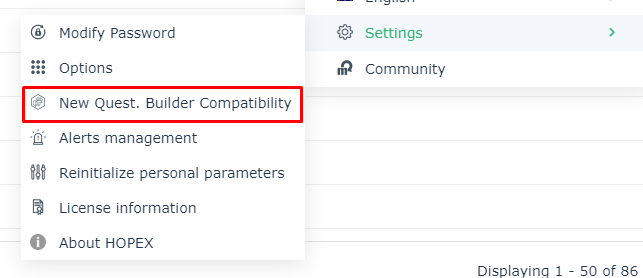
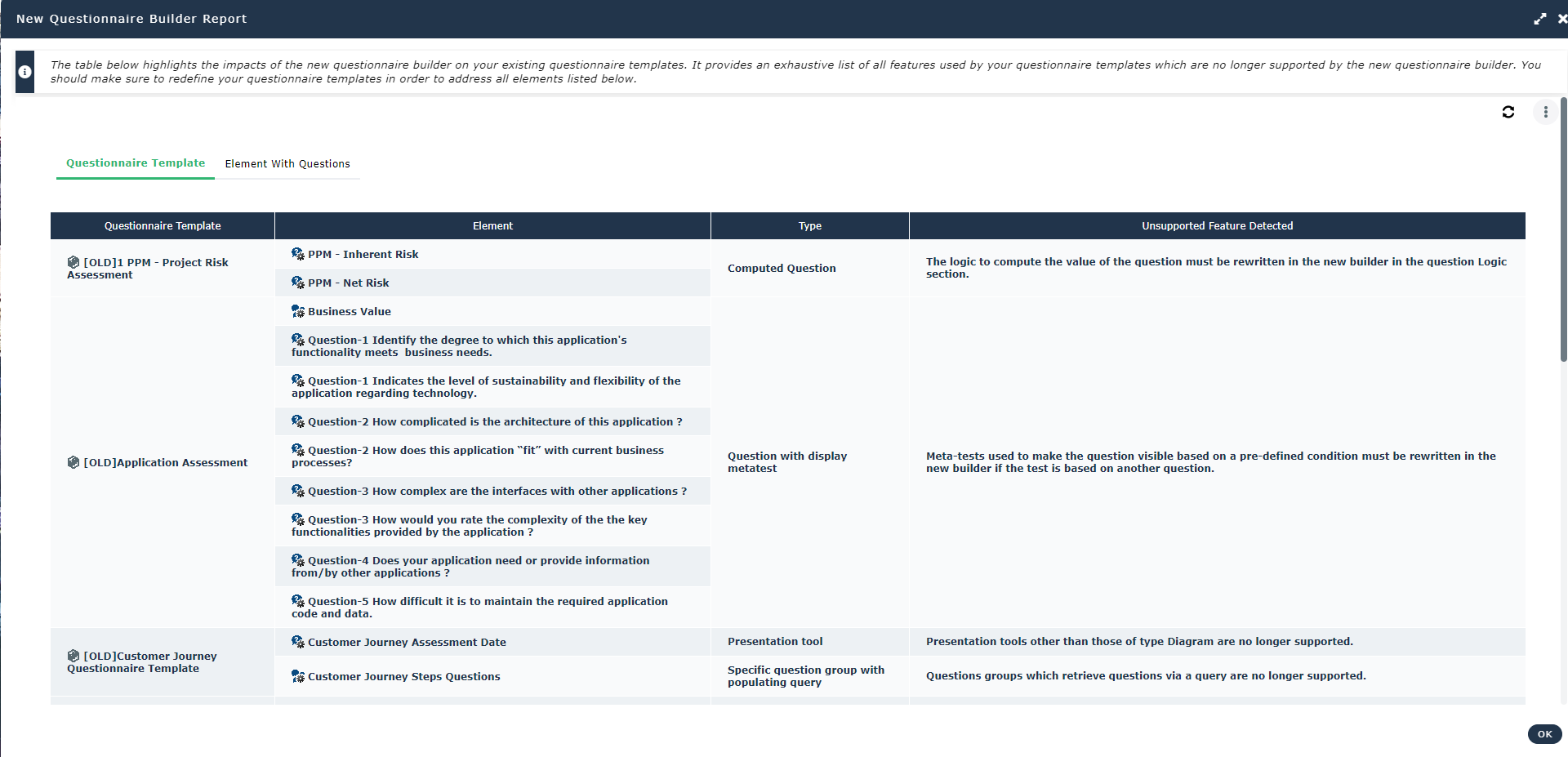
This report is browsing through all existing questionnaire templates and questions defined on HOPEX elements (like control execution and test steps). As a result, the report shows all elements that are no longer compatible with the new builder with a small description of the identified issue.
This report is just informative and it should be used in order to make sure that the migration towards the new Questionnaire Builder doesn't introduce any major disruption from a functionality perspective.
Not Compatible Questionnaire Templates
If the user tries to open a non-compatible questionnaire template, he will be prompt with an informative wizard which lists all the questionnaire elements which are not supported by the new Builder.
The user can either decide to edit the questionnaire to remove the problematic elements or launch the new builder: elements which are not compatible will simply be disregarded by the new Builder.
Once a non-compatible questionnaire is opened using the new builder, it will be flagged as compatible, and its type will consequently change to “Standard”.
Compatible Questionnaire Templates
If the user tries to open a compatible questionnaire template, the new Questionnaire Builder will automatically open in full screen mode.