Token Routing
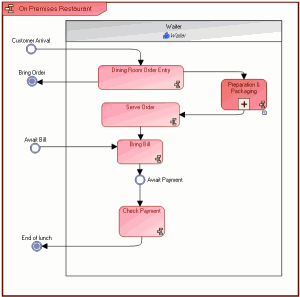
Take for example the "On Premises Restaurant" organizational process.
Simulation start event
When a process has several entry points, the simulation editor asks you to choose between the different possible start events.
In the above example, the editor asks you to choose between the entry points "Customer Arrival" and "Await Bill".
Creating an event between two sequence flows
To indicate that there is a delay between two tasks, for example "Await Payment" you can use a timer event type between two sequence flows.
You can indicate an execution time for the event. For more details, see Event Advanced Characteristics.
Sequence flows
A task could contain several input or output flows.
In the Routing tab, available from the selected task, you can modify the gateway type for input and output objects.

With BPMN, sequence flows can also carry information on their type: "Conditioned" or "Default". In this case, routing of the task that generates these flows is Condition.