Using drivers
Accessing the list of drivers
To access the list of drivers from the Vision navigation pane:

Click
Inventories > Drivers in the navigation menu.
Three tabs are available to access the list of each type of driver.

A business driver is an expectation expressed by a client, a partner or provider with respect to the enterprise.
A regulatory driver is guided by a change in the regulation framework to which it makes reference.
An architectural driver is guided by a specific characteristic or an internal architectural building block. This characteristic can represent a strength or a weakness
Creating a driver from enterprise plan
Drivers are connected to an enterprise plan by a strategy assessment.
To create a driver from a strategic assessment:
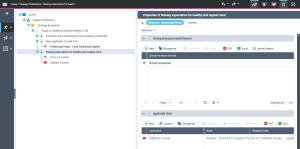
1. From the Vision navigation pane, select Motivation > Strategy Evaluation.
The current enterprise plan appears.
2. Expand the Strategy evaluation folder.
3. Select the strategy evaluation that interests you and select New > Evaluation driver.
A strategy evaluation driver creation window opens.
4. Select the Creating a new Regulatory Driver or Business Driver or Architectural Driver check box.
5. Select, for example, the Connect a Regulatory Driver.
6. Click Display scope.
7. Specify the the Nameof the driver.
8. Click OK.
The driver appears in the list of drivers linked to the strategy evaluation.
Driver properties
The Characteristics property page of the driver provides access to:
• its Name;
• the text of its Description.
With HOPEX Business Architecture a driver is described by the following pages:
• the Structure page, Driving Enterprise Model Element section is used to access the architecture building blocks concerned by the driver.
• the Structure page, Possible sites section is used to access the sites concerned by the driver.
A site is a geographical location of an enterprise. Examples: Boston subsidiary, Seattle plant, and more generally the headquarters, subsidiaries, plants, warehouses, etc.
• the Usage page, Strategy Assessment section provides access to the strategic evaluations to which the driver is connected.
• the Usage page, Transformation objective section provides access to the objectives to which the driver is connected.
• the KPI Dimension page is used to create KPI Dimensions for the driver.
• the
Assignment page is used to specify the stakeholders connected to the driver; these links can be examined via all the
"Driver x Stakeholder Matrix" report data.
 For more details, see "Describing implementation of a transformation plan".