Presentation of the BDNA Connector
Use Case in HOPEX ITPM
In ITPM solution, the BDNA Connector is available to the Functional Administrator. He is in charge of importing data from BDNA. He can initialize a new repository by importing software technologies from BDNA Technopedia™ and use the Functional Administration Desktop to manage automatic update workflows and alert tools.
The Technology Portfolio Manager (TPM) is responsible for software technologies and their life cycle. He can include his software technologies in the scope of the automatic update in order to be notified automatically of any changes. He can also send the Functional Administrator a request to prepare the import of new software technologies from BDNA.
The Application Portfolio Manager should subscribe to the standard notification on sensitive software technologies that are used by his applications. Thus, when these software technologies are updated by automatic or manual import from BDNA properties, he will receive a notification of the change. He will analyze the impact and decide how to proceed (keep the software technology, use a new version or change it).
Prerequisite Conditions
The BDNA Connector is available with HOPEX IT Portfolio Management and requires the BDNA license that you will specify in the authentication settings.
To be able to connect to BDNA Technopedia™, you must set the Data Exchange options related to exchanges between HOPEX and third party tools.
To define the required options:
1. Start HOPEX Administration.
2. In the navigation tree, right-click the HOPEX site name and select Options > Modify.
The site options window opens.
3. Expand the Data Exchange > Import folder.
4. Click the BDNA folder.
5. Enter information to access BDNA API (provided by BDNA):
• BDNA API URL
• Authentication user for BDNA API
• Authentication key for BDNA API
6. Activate SMTP proxy if necessary (provided by your IT service):
• Check Activate SMTP Proxy.
• Enter the address of the proxy.
• Enter the port.
7. Check the Authentication for the proxy option if required.
Scope of BDNA Connector
Within the context of the technology management in ITPM, the BDNA Connector enables import of the following concepts:
• Technology types: categorizes software products by the function they perform.
• vendors. Example: Microsoft
• Software technologies. Example: MS Office
Mappings with HOPEX concepts are detailed below.
Object correspondence
|
BDNA
|
HOPEX
|
|
Manufacturer (vendor)
|
Org Unit
|
|
Taxonomy (technology type)
|
_Type
|
|
Software Product
|
Technology
|
|
Software Edition
|
Variation of Software Technology
|
|
Software Standard Major/Minor Release
|
Variation of Software Technology
|
In BDNA Technopedia™, software technologies are divided into:
• Products (for example: Microsoft Office)
• Editions (for example: Family, Professional)
• Versions (for example: 2013, 2016)
• Releases (major, minor)
Only versions and releases have information on the life cycle (publication date, end support, end of extended support).
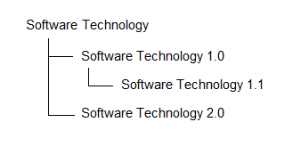
Software Products imported from BDNA Technopedia™ into HOPEX are saved as Software Technologies. Editions and versions of a software are represented by variations of the Software Technology in MEGA.
BDNA properties in HOPEX
Most of BDNA properties imported into HOPEX appear in the BDNA tab of the object properties
Technology properties related to the official technology life cycle are automatically defined in the Characteristics tab of the technology properties.
• Release date
• End of Support
• End of Extended Support

These properties can be specified manually if you do not use the BDNA Connector
A Support Alert report uses this data to track technology obsolescence. For example, the solution automatically detects current and future conflicts when an underlying technology component becomes obsolete while the business application is still in production.