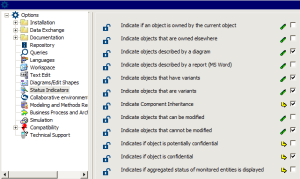
Managing Status Indicators
Use of status indicators generates large quantities of queries on repositories. Select only those indicators you require.
To modify indicator backup selection:
1. Connect to MEGA Administration.
2. Connect to the environment in which the repository is referenced.
3. Right-click the environment and select Options > Modify.
4. In the Environment Options dialog box, select Status Indicators.
5. In the right pane, select only those indicators you require.
6. Click OK.
 See "Connecting to MEGA Administration (Windows Front-End)", page 4.