Managing Shapes
MEGA provides several sets of shapes used to represent the various objects in diagrams.
MEGA Administration, allows you to consult the list of shapes:
• shapes customized by users
• shapes supplied by MEGA
Each set of shapes (5.1 / 5.2 / 2005 / 2009) contains three shape categories:
• Art
• Background
• Method
Accessing Shapes
To access shapes:
1. Connect to MEGA Administration.
2. Expand the Shapes folder.
3. Expand the sub-folder of the desired shapes.
4. Right-click the category of the desired shapes and select Manage.
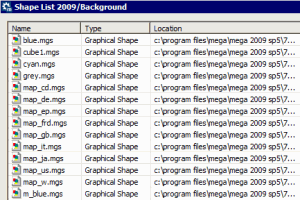
A table appears listing the images of this category and their location.
 See "Connecting to MEGA Administration (Windows Front-End)", page 4.