Customizing your Dashboard (Web Front-End)
The
Dashboard 
of your desktop (Web Front-End) is made up of widgets, which use formatters in the form of reports or other HTML pages. They enable fast access to repository information.
Widget types
A widget can be of type:
• private
A private widget is connected to a user. It is visible in the dashboard of the user who added it.
• public
A public widget is displayed in the dashboard of all the users.
Adding a Widget in your Dashboard
To add a widget in your dashboard:
1. Connect to your MEGA desktop (Web Front-End).
2. In the edit area, click
Dashboard .
3. In your dashboard, at the bottom left, click Add.
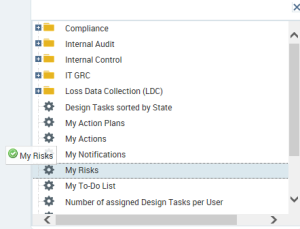
A window displays the available widgets.
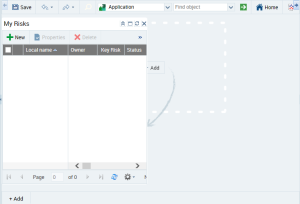
4. Select a widget and drag-and-drop it to your dashboard.

Expand folders if necessary.
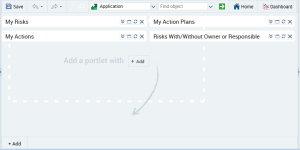
The widget is displayed in your dashboard.
You can add several widgets to your dashboard.
Managing your widget display
Enlarging/Folding a widget window
If you added a large number of widgets in your dashboard, in the widget title bar click

to reduce the widget.
Click

to unfold the widget.
Displaying a widget in full edit area
To display a widget in full edit area:

In the widget title bar, click

.
Deleting a private widget
A private widget is connected to a user.
To delete a private widget from your dashboard:
In the widget title bar, click

.
The widget is deleted from your dashboard. It is not displayed at your next connection.