Web Administration Desktop Description
To access the Administration desktop, see Accessing Web Administration Desktop.
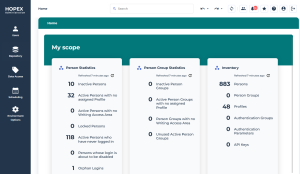
The Administration desktop includes:
• a toolbar common to all desktops
 See Platform - Common Features > Interface Presentation > Toolbar documentation.
• administration-specific navigation menus, which give access to sub-menus in the browse area
See Navigation Menus.• a homepage with a direct access to specific objects
• an edit area to manage the objects.
Navigation Menus
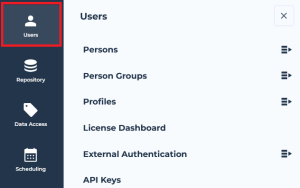
The Administration desktop includes the following navigation menus:
• Persons
The Persons submenu gives access to the persons in the browse area, as well as to the persons listed by group, by profile, by writing access area, and by reading access area.The Person Groups submenu gives access to the person groups in the browse area, as well as to the person groups listed by profile, by writing access area, and by reading access area.• Profiles
The Profiles submenu gives access to the profiles in the browse area.• License Dashboard
• External Authentication
The External Authentication submenu gives access to the authentication groups and authentication parameters in the browse area.• API Keys
• Repository to:
• access Repository health reports
• access Repository activity
The Repository Activity submenu gives access to dispatches, displayed as a tree ordered by date, in the browse area.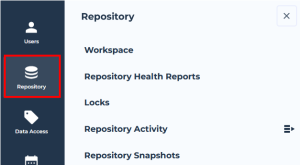
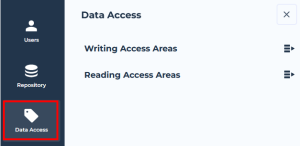
• Data Access (with Hopex Power Supervisor technical module) to access:
• writing access areas
• reading access areas
• Scheduling, to manage scheduling (Triggers)
In read-only mode for the Hopex Administrator - SaaS profile.• Environment Options, to manage environment level options
Administration Desktop Homepage
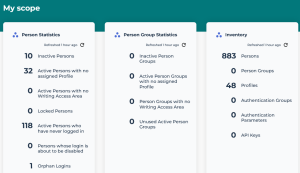
The administration desktop homepage includes indicators useful to manage:
• persons
• inactive persons
• active persons with no assigned profile
• active persons with no writing access area
• locked persons
• active persons who have never logged in
• persons whose login is about to be disabled
• orphan logins
• person groups
• inactive person groups
• active person groups with no assigned profile
• person groups with no writing access area
• unused active person groups
It also gives direct access to inventory lists of:
• persons
• person groups
• profiles
• authentication groups
• authentication parameters
• API keys