Data Domains and Logical Data Domains
Data domains and logical data domains are used to define a logical data structure made up of classes and class views.
• The data domain is used to describe the data stores of software (Application system, Application, Application service or Micro Service).
• The logical data domain is used to describe data stores (internal or external) of logical application systems.
 For more details on how to use data domains in an application architecture, see Modeling Applications and System Architectures.
Both are owned by a package and can reference objects held in other packages.
You can define the access mode (CRUD) to the objects referenced by a data domain by integrating them as components of the data domain.
A corresponding physical structure can be defined via a physical data domain. It is made up of tables and table views. See Modeling Databases.Creating a Data Domain
You can create a data domain or logical data domain from the data dictionary it describes.
To create a logical data domain in Hopex Data Governance:
1. Click the Architecture > Data Dictionaries navigation menu.
In Hopex Data Architecture, click the Dictionaries > Hierarchy navigation menu.2. In the edit area, expand the Data Dictionaries folder.
3. Right-click the data dictionary and click New > Data Domain or Logical Data Domain.
The data domain appears in the tree.
The Data Domain Diagram
Data domains and logical data domains can be described by a diagram.
A data domain diagram is a structure diagram which defines classes and their relationships in a Whole/Part formalism in connection with the subject of the data domain described.
You can connect one or more diagrams to a data domain, according to what you want to describe.
Example of diagram
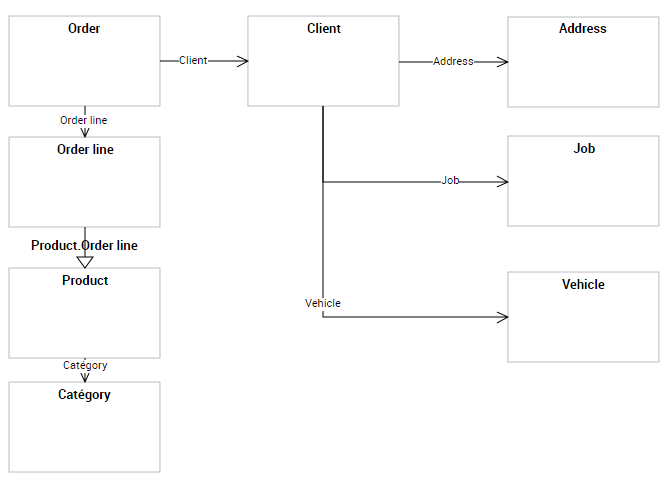
Creating the diagram of a data domain
To create a diagram from a data domain:
1. Right-click the data domain and select New > Diagram.
2. Select the diagram type Data Domain Entity Diagram.
3. Click OK.
Adding an object to the diagram
In the data domain diagram, you can add a new object or connect an existing object.
The objects visible in a data diagram are not automatically linked to the data domain. A command allows you to define the objects as components of the area. See Adding a Component to the Data Domain.
Adding a class
Add a data view
Adding a Component to the Data Domain
You can connect objects to a data domain through components. A component references an object (class or class view) and defines the type of access to the object in question (read-only, modification, deletion, etc.).
The data domain is attached to the package; objects directly created from components are automatically connected to the package of the data domain.
You can create a component from an object in the diagram or using the properties of the data domain.
To create a component from an object of the data domain diagram:
 In the diagram, right-click the object in question and select Add to (name of the data domain).
The name of the component created appears in the properties of the data domain. By default it has the name of the object that it references.
Defining the access mode to the components (CRUD)